
Published: March 2020 | Last Updated:January 2026
© Copyright 2026, Reddog Consulting Group.

Think of an Amazon Brand Store as your dedicated flagship shop, planted right inside one of the biggest digital malls on the planet. This isn't just another product listing; it's a curated, multi-page storefront where you control the entire shopping experience. You get to tell your brand story and guide customers without the noise of competitor ads.
In a crowded marketplace, a Brand Store is a non-negotiable tool for building a scalable, long-term brand presence. It’s the difference between just listing products and building a genuine retail destination.
An Amazon Brand Store is a custom digital storefront available exclusively to sellers enrolled in Amazon's Brand Registry program. Unlike a standard product detail page, which focuses on a single item, a Brand Store lets you showcase your entire catalog, tell your story with rich media, and design the customer journey from start to finish.
Simply put, it’s your brand’s own piece of real estate on Amazon.
We see this dedicated space as the Foundation—the first pillar in our omnichannel growth framework. Building a Brand Store shifts your strategy from merely selling products on Amazon to actively building a brand within Amazon. In a marketplace where Amazon captures nearly 38% of all US e-commerce sales, making that distinction is critical for growth.
The numbers illustrate the opportunity. With over 60% of Amazon sales coming from third-party sellers, many of whom are small and medium-sized businesses, you need more than a good product to stand out. You need a compelling brand experience, and a Brand Store is your number one tool for creating it.
At its core, a Brand Store is a strategic asset that delivers measurable results. It’s not just about looking good; it's about selling smarter and building a foundation for sustainable growth.
Take a look at this example of a well-structured Brand Store. It features a strong hero image, clear navigation, and neatly categorized product collections.
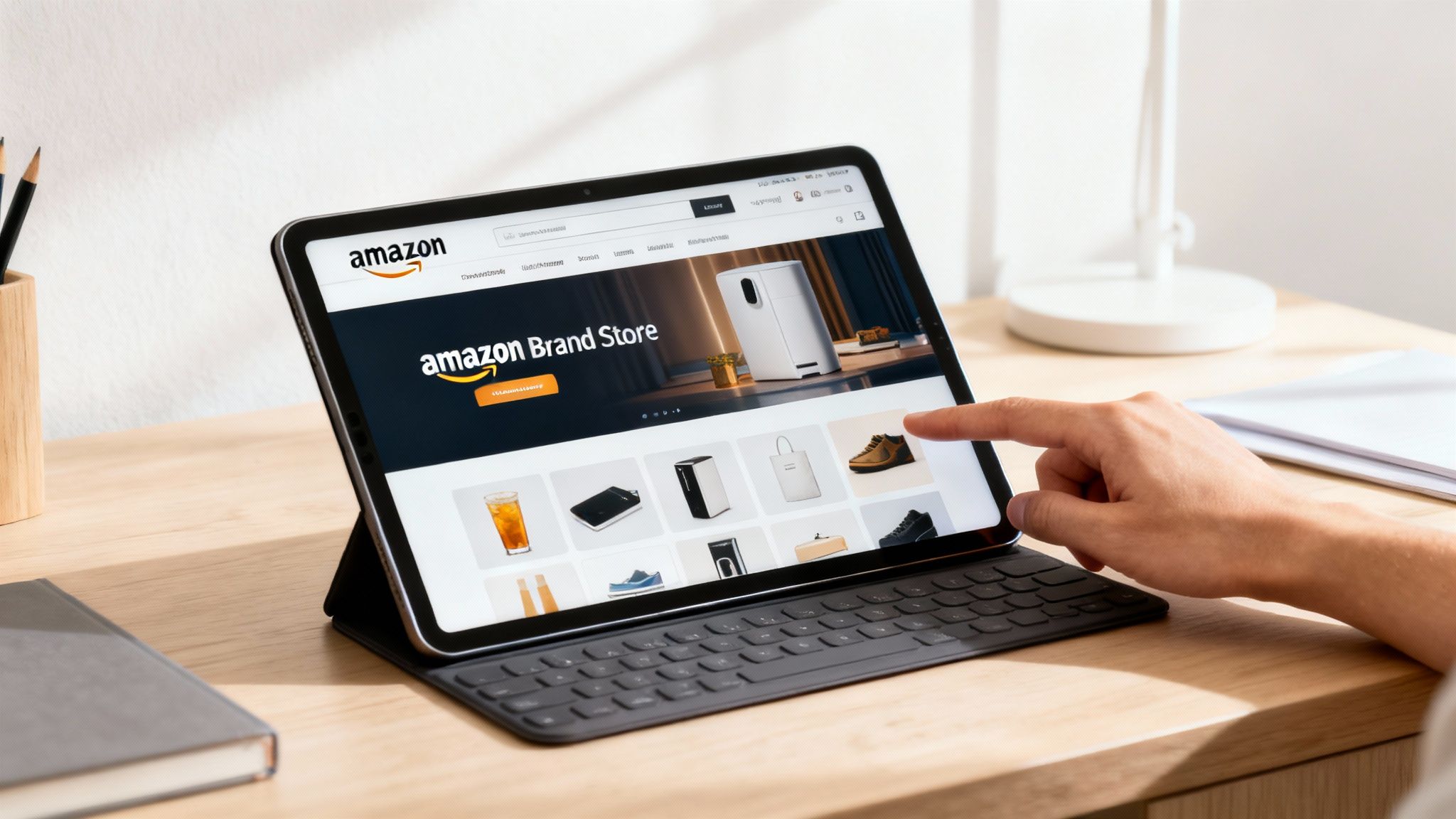
This layout instantly communicates the brand's identity and makes it simple for customers to find what they're looking for. By controlling the entire page, the brand guarantees a focused, distraction-free shopping journey that measurably improves conversion.
Let's move past theory and get straight to the practical, measurable impact of a well-executed Brand Store. This isn't just another marketing page; it’s an engine designed for growth. By creating a focused shopping environment, you directly influence key performance metrics and solidify your brand’s presence on the platform.
One of the most immediate results sellers see is an increase in conversion rates. By eliminating competitor ads and the "customers also bought" carousel, you create a clean, distraction-free path to purchase. You have the shopper's full attention, which makes a significant difference in turning a browser into a buyer.
Beyond that initial sale, a Brand Store is your best tool for boosting Average Order Value (AOV). This is where you transform a single-item purchase into a multi-item cart.
You can design your store to strategically guide shoppers toward discovering more of your products, encouraging both cross-sells and upsells. Think of it like a well-merchandised physical store where complementary items are placed together to inspire additional purchases.
This isn't just about showing off your catalog; it's about guiding customers through your entire brand ecosystem, turning a simple product search into a discovery session that builds bigger carts.
Your Brand Store is the only place on Amazon where you are in complete control of your brand’s narrative. Product pages are functional, but your store is where you forge an emotional connection. Here, you can use high-impact videos, stunning lifestyle images, and compelling text to share your mission, your values, and what makes you different from everyone else.
A Brand Store elevates your Amazon presence from a simple sales channel to a rich, brand-building destination. It’s your chance to build a direct, memorable connection with shoppers that creates loyalty long after they’ve clicked “buy.”
Having this control is a massive advantage. Today, over 60% of all sales on Amazon come from independent sellers, most of whom are small and medium-sized businesses. According to recent data, more than 55,000 of these sellers surpassed $1 million in sales last year. These numbers prove there's a huge opportunity for brands that invest in standing out. You can dig into more of these seller trends in Amazon's official small business report.
When you put it all together, the benefits compound. Higher conversion rates and a bigger AOV lead directly to more revenue. The immersive brand experience builds customer loyalty, which drives repeat purchases and positive reviews.
By setting up this core asset, you’re not just creating a storefront; you’re building a scalable growth channel. It becomes the central hub for your Amazon ad campaigns, the go-to destination for your off-Amazon marketing, and the single best tool for showing millions of potential customers everything your brand has to offer. For any brand serious about long-term success on Amazon, this isn't a nice-to-have—it's foundational.
Ready to get started? Creating your Amazon Brand Store is a straightforward process, even without a technical background. Let's walk through the essential steps to launch a professional storefront that becomes the cornerstone of your brand’s growth on Amazon.
The entire process begins with one non-negotiable prerequisite: enrollment in Amazon Brand Registry. This program verifies you as the official brand owner, unlocking a suite of powerful tools, including the Store builder. Think of Brand Registry as your all-access pass. If you need a refresher, our guide on Amazon's brand guidelines can help ensure you have everything in order.
Once you're enrolled, you can access the Store builder directly from Seller Central. Amazon provides a selection of pre-designed templates, which serve as excellent starting points for structuring your pages and content.
Amazon offers several templates designed for different objectives—some focus on showcasing a product line, others on telling a brand story, and some offer a mix of both. Your chosen template sets the initial layout, but every element is fully customizable.
The key is to think like your customer. Your goal is to create a shopping experience that feels intuitive and makes it simple for them to find what they're looking for.
A well-structured store doesn't just look professional; it drives sales. By organizing your products into logical categories, you guide shoppers on a curated journey, increasing the likelihood that they'll discover more products and add more to their cart.
This simple flow chart illustrates how a well-built store drives measurable growth.
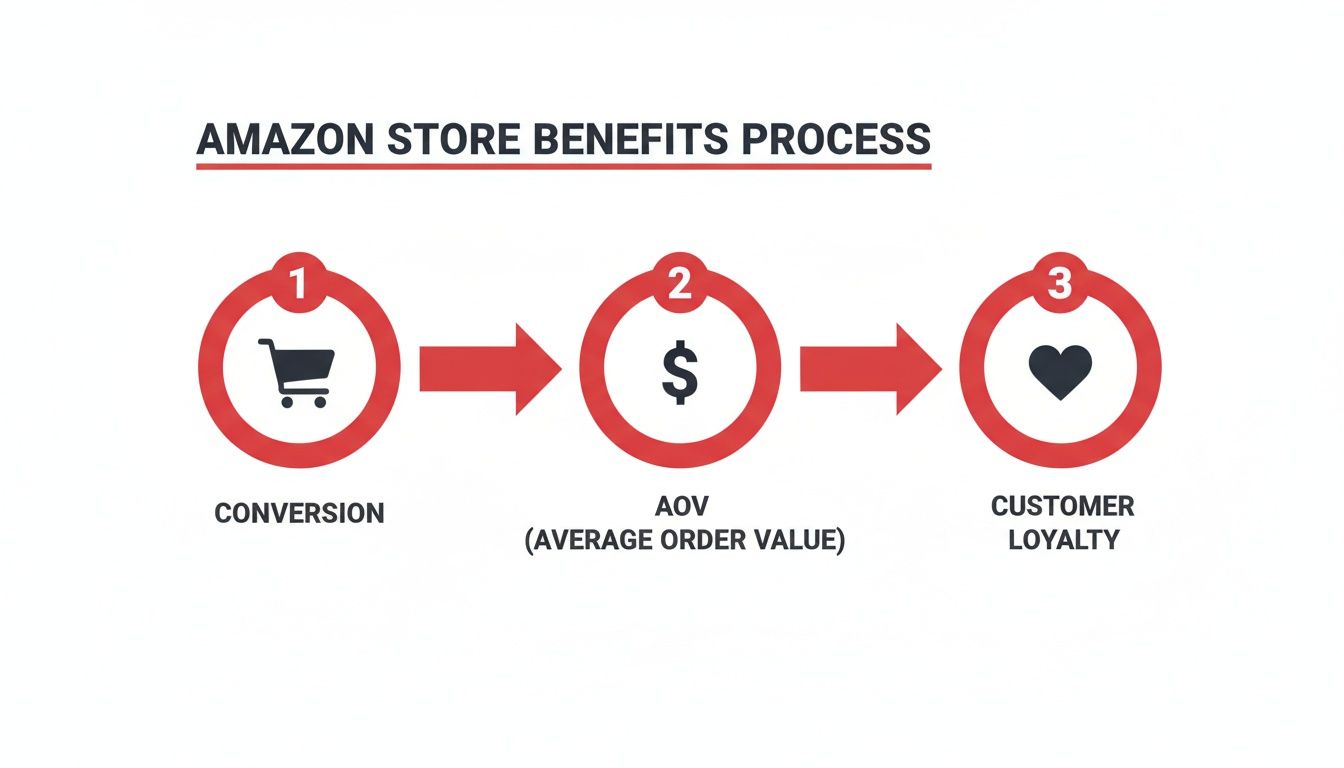
As the graphic shows, a great user experience directly leads to more sales, which boosts your average order value and helps turn one-time buyers into loyal brand advocates.
After you've outlined your pages, you'll begin adding content using modules, or "tiles." These are the drag-and-drop building blocks of your store, each designed for a specific purpose. The real magic happens when you combine them to bring your brand to life.
The power of the Store builder lies in its content modules. They allow you to move beyond a simple product grid and create a rich, media-driven experience that educates, inspires, and converts.
Some of the most effective modules include:
If you prepare your creative assets ahead of time—high-resolution images, videos, and compelling copy—the building process will be smooth and efficient. For a deeper look at the step-by-step mechanics, this guide on how to create an Amazon storefront offers helpful additional tips. Once these foundational pieces are in place, your store will be ready to submit for review and go live.
Once your Brand Store is live, the work of optimization begins. This is not a “set it and forget it” asset. A high-performing Brand Store is a dynamic retail space that should evolve with your brand, your products, and your customers.
Let's dive into the best practices that separate top-tier Stores from those that get lost in the noise. The goal is to create an intuitive, professional experience that actively guides shoppers toward making a purchase. It all starts with the first impression on your homepage.
Your homepage is your digital handshake. You have about three seconds to communicate who you are, what you sell, and why a shopper should stick around. A cluttered or confusing homepage is a surefire way to lose a potential customer.
To nail that first impression, focus on these three elements:
The best homepages tell a story at a glance and direct the shopper’s eye toward your key product categories, making the next click an obvious choice.
While your homepage grabs their attention, your category pages do the heavy lifting. This is where you make product discovery effortless, turning browsing from a chore into an exploration.
Organize your products into logical groups that reflect how your customers actually shop. Go beyond simple product types and think about creating timely, curated collections that solve a specific need.
A great Amazon Brand Store anticipates a customer’s needs. By creating collections like "New Arrivals," "Seasonal Favorites," or "Top-Rated Gear," you're not just showing products—you're providing solutions and inspiration.
For example, a brand selling outdoor gear could build a "Summer Hiking Essentials" page featuring everything from boots and backpacks to water bottles and sun hats. This type of smart merchandising encourages shoppers to add more to their cart, directly boosting your average order value.
On Amazon, your product imagery does the talking. Grainy, inconsistent photos will erode trust and kill a sale instantly. High-resolution lifestyle shots, clean product-on-white images, and engaging videos are non-negotiable for a premium brand experience.
If you're in the apparel space, for example, knowing how to photograph clothes for crisp, pro-level shots can make or break your store's appeal. This principle holds true for any product category, from electronics to home goods.
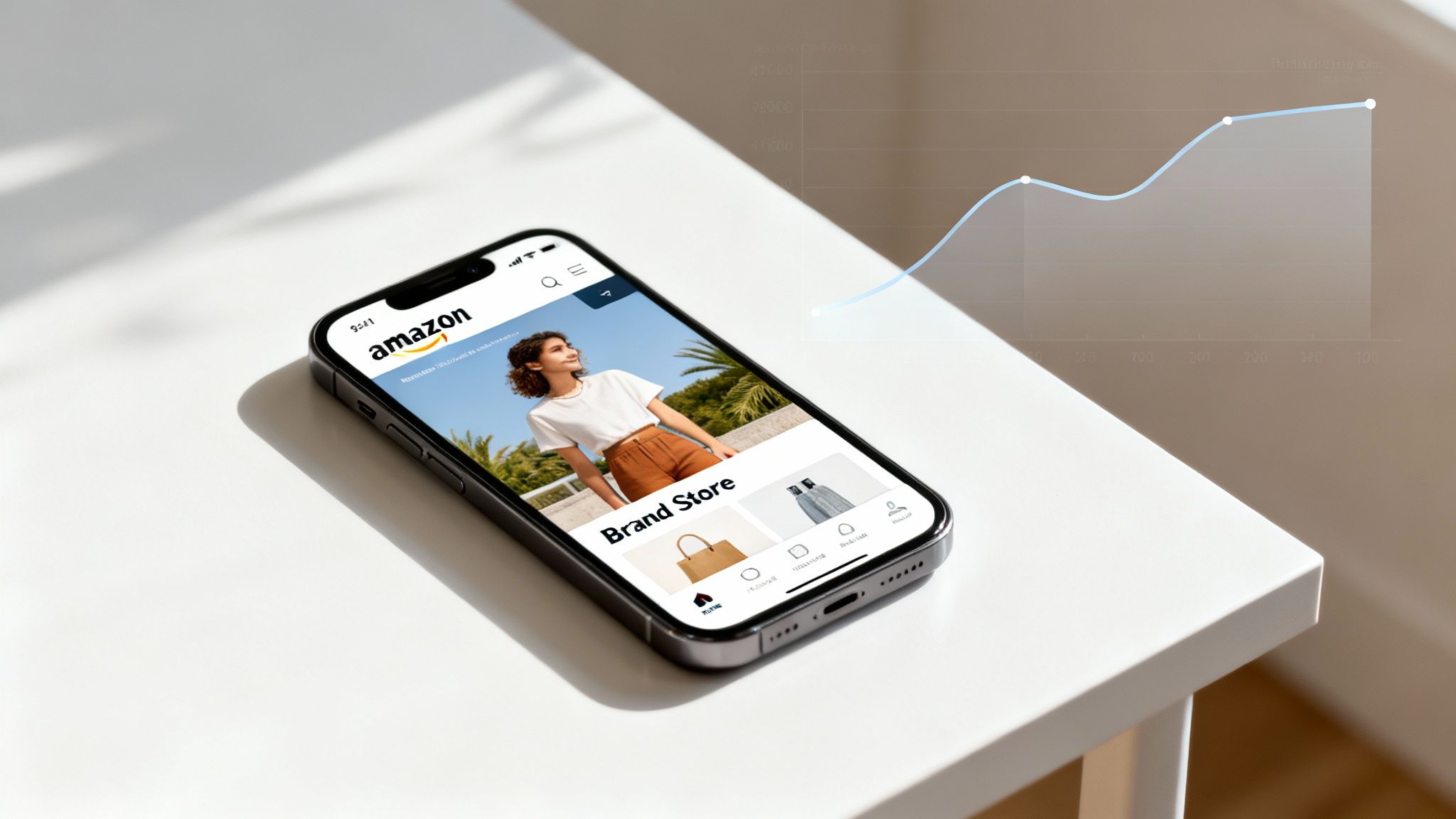
Just as important is embracing a mobile-first design philosophy. The vast majority of Amazon shoppers are on their phones. What looks amazing on a large desktop monitor can feel cramped and unusable on a small screen.
Before you publish any changes, always preview your store on a mobile device. Check that:
A seamless mobile experience isn't a bonus feature; it’s an absolute requirement for maximizing sales.
Finally, you need to understand which content modules to use and when. The Store builder offers a variety of tools, and choosing the right one for the job is key to creating a page that converts effectively.
The table below breaks down the different content modules available in the Store builder and how to use them to achieve specific business goals, whether that's driving sales, educating customers, or enhancing your brand image.
| Module Type | Primary Goal | Best Practice Example |
|---|---|---|
| Image/Video | Brand Building & Engagement | Use a high-impact hero video on the homepage to tell your brand story in seconds. |
| Product Grid | Conversion | Create a "Best Sellers" grid right on the homepage to guide new visitors to your most popular items. |
| Product Tile | Education & Conversion | Showcase a new product with a large image, a short description, and a direct "Add to Cart" button. |
| Text Tile | Brand Storytelling & SEO | Share your brand’s mission or values on an "About Us" page using keyword-rich text. |
| Shoppable Image | Conversion & Cross-selling | Display a lifestyle photo (e.g., a kitchen setup) and make each featured product clickable for purchase. |
| Video Gallery | Education & Engagement | Create a gallery of "How-To" videos or customer testimonials to build trust and show your products in action. |
| Background Video | Brand Building | Add a subtle, looping video to a page background to create an immersive, high-end feel without distracting from products. |
Using a strategic mix of these modules allows you to build pages that are not only visually appealing but also designed to guide customers from discovery to checkout. Don't be afraid to experiment to see what resonates most with your audience.
So, you've built an excellent Amazon Brand Store. That's the foundation. Now, it's time for amplification—driving qualified traffic and making smart, data-backed decisions to maximize your return on investment.
Think of your Store as the grand opening of your flagship location. The shelves are stocked and the displays look great. Now, it's time to get people through the doors. We’ll cover how to fill your virtual aisles with shoppers ready to buy, using integrated strategies both on and off Amazon.
The most direct way to get shoppers into your Store is through Sponsored Brands ads. These are the banner ads at the top of Amazon's search results, and they are perfectly designed to work with your Brand Store. Instead of driving a customer to a single product page, you can guide them into your complete, curated brand world.
This one tactic changes the game completely.
This synergy transforms your advertising from a simple sales tactic into a powerful brand-building machine. For a deeper dive into campaign optimization, our guide to effective Amazon Ads management breaks down these strategies in detail.
One of the most valuable features of your Brand Store is its unique, clean URL (e.g., amazon.com/yourbrand). This simple link is your key to an integrated omnichannel strategy, bridging the gap between your off-Amazon audience and your on-Amazon storefront.
Your store’s custom URL is your golden ticket to an integrated growth strategy. It allows you to direct traffic from channels you control—like social media, email, and influencer marketing—to a conversion-optimized, brand-safe environment on Amazon.
This integration is critical in a market where Amazon dominates. The platform is expected to capture 37.6% of all U.S. e-commerce spending in 2024, representing a staggering $447.4 billion in revenue. While that's a slight dip from 37.8% in 2023, it underscores Amazon's massive reach and why you should send your audience where they’re already conditioned to buy. You can explore detailed insights on Amazon's e-commerce share to understand the market better.
You can't optimize what you don't measure. The Store Insights dashboard is your command center for understanding what’s working, what isn’t, and where to focus your efforts. It’s packed with data that tells a clear story about your Store's performance.
To start, monitor these key metrics:
The real power, however, comes from using source tags. By creating unique links for each of your marketing channels—one for your Instagram bio, another for an email newsletter, a third for an influencer campaign—you can see exactly which sources are driving the most visitors, views, and, most importantly, sales.
This data allows you to stop guessing and start investing your marketing budget with confidence, doubling down on the channels that deliver real results.
Building a great Amazon Brand Store is a crucial first step, but many brands stumble when it comes to long-term maintenance. After helping countless brands launch and scale their stores, we've seen the same preventable mistakes appear time and again—and they can silently undermine your hard work.
The biggest offender is the “set it and forget it” mindset. Many brands invest heavily in a beautiful launch, only to let the store become outdated. Your Brand Store is a living retail space, not a static brochure. A store featuring banners for last winter’s sale sends a clear message to shoppers: this brand isn't paying attention.
The fix is simple: create a basic content calendar. Schedule updates for new product launches, key shopping holidays like Prime Day, and seasonal changes. This keeps your store feeling fresh and gives customers a reason to return.
Another common misstep is designing exclusively for a large desktop screen. Your store might look fantastic on your monitor, but the reality is that the vast majority of Amazon shoppers are browsing on their phones. If you ignore the mobile experience, you create a clunky, frustrating journey for most of your visitors, leading directly to lost sales.
Before you publish any changes, always use the mobile preview feature in the Store builder.
A seamless mobile experience isn't a "nice to have"—it's an absolute necessity.
One of the biggest missed opportunities we see is brands failing to promote their Brand Store URL. That unique link is a powerhouse, turning your store into a central destination for all your marketing, both on and off Amazon.
Finally, a surprisingly frequent mistake is using low-quality or inconsistent creative assets. Your store is a direct reflection of your brand’s quality. Using pixelated images, poorly shot videos, or a chaotic mix of fonts and colors will instantly erode trust and make your products feel cheap.
Invest in high-resolution lifestyle photos and videos that tell a compelling story. Create a simple brand style guide for your store that defines your fonts, colors, and image standards. This ensures every page delivers a cohesive, premium experience and positions your Amazon Brand Store to be a powerful engine for growth.
Let's wrap up by addressing some of the most common questions brands have when they start exploring Amazon Brand Stores. These clear, practical answers should help you move forward with confidence.
Not at all. The only requirement is enrollment in Amazon Brand Registry, which is accessible to any brand with a registered trademark.
In fact, Amazon Brand Stores are an incredibly powerful tool for small and medium-sized businesses. They provide the tools to build a professional, branded shopping experience that can compete effectively with established names on the platform, leveling the playing field.
Here’s the best part: creating and publishing an Amazon Brand Store is completely free for sellers enrolled in Brand Registry. Amazon does not charge any fees for using the Store builder tool.
Your only costs are the time and resources you invest in design and content creation, as well as any advertising budget you choose to allocate for driving traffic to your live Store.
Think of your Brand Store as a free, premium retail space provided by Amazon. The only investment is your own creativity and strategy, not platform fees.
Yes, and you absolutely should. Amazon gives every Brand Store a unique, clean URL (e.g., amazon.com/yourbrand), which is one of its most valuable features. This link is perfect for promoting your Store across all of your off-Amazon marketing channels.
You should use this link in your:
Driving your existing audience to a curated brand hub on Amazon is a core part of an effective omnichannel strategy.
After you build your Store and submit it for review, Amazon's moderation process typically takes between 24 and 72 hours.
To ensure a smooth approval, double-check that all your content adheres strictly to Amazon's advertising policies. Rejections are the most common cause of launch delays, so look for simple mistakes like making unproven claims or including external links before you submit.
Ready to build an Amazon Brand Store that drives real, measurable growth? At RedDog Group, we combine foundational strategy with optimization and amplification to help brands scale across every channel.
Leave a comment: