
Published: March 2020 | Last Updated:February 2026
© Copyright 2026, Reddog Consulting Group.

A returnless refund on Amazon is a pure P&L calculation: a customer is refunded for a purchase, but you don't get the product back. Amazon tells them to keep it, and you absorb the loss.
This policy isn't about customer service; it's a cold, hard decision made when the reverse logistics costs—return shipping, FBA inspection labor, and disposal fees—exceed the item's recoverable value. For CPG brands with low-cost, high-volume items, this isn't an occasional exception. It’s a recurring line item that directly impacts your contribution margin and must be factored into your channel economics.
At its core, a returnless refund is a decision to cap a loss. It’s Amazon (or you, if you’re FBM) choosing the less costly of two negative outcomes. The traditional returns process, known as reverse logistics, is notoriously expensive and inefficient. It’s a massive operational headache for the entire retail industry.
Policies like Amazon’s are a blunt but necessary tool to keep those costs from spiraling out of control. It essentially stops the financial bleeding by skipping the costly process of shipping and handling an item that is likely unsellable anyway.
Amazon’s algorithm weighs several factors, but for a CPG operator, it boils down to a few key triggers:
To manage returnless refunds, it's helpful to understand how they fit into the broader landscape of transaction reversals. Knowing the differences between chargebacks, refunds, and reversals provides a clearer view of marketplace financial operations. For a brand operator, the key is to stop viewing this as just a loss and see it as a calculated operational cost—the first step in building a strategy to manage it.
This table breaks down the operational triggers and their direct impact on your P&L.
| Operational Trigger | Typical Product Profile | Primary Financial Impact |
|---|---|---|
| Low Product Price Point | Items under $15-$20, such as snacks, single-unit supplements, or basic personal care products. | The cost of goods sold (COGS) is a complete loss, as the item is not returned or resold. |
| Hazmat or Safety Issues | Aerosols, certain cleaning supplies, beauty products, or opened food/supplements. | You lose the unit, absorb the initial FBA fees, and have no chance of recovering the inventory. |
| Damaged/Defective Claim | A customer reports the item arrived broken, expired, or not working as intended. | The financial loss is immediate, and it may also negatively impact your account health metrics. |
While the reasons vary, the outcome is the same: you lose the product, you lose the sale, and you still pay the associated Amazon fees. Planning for this reality is non-negotiable.
Why would Amazon refund a customer and let them keep your product? It's not about generosity; it's pure, unfiltered economics.
When a return is initiated, you're already in a losing position. The only question is how much you stand to lose. Amazon's system is built to calculate the most profitable path forward, even when both options are negative for your bottom line.
A standard return isn't a single cost—it's a cascade of fees that erode your margins. Every step in the reverse logistics chain is another hit to your P&L.
Let’s run the numbers on a $20 bottle of vitamins. The customer claims the cap is cracked and wants a refund.
If Amazon processes a standard return, your costs could look like this:
The total cost to get that broken bottle back is $10.00. You’ve lost 50% of the item’s value just on the return, not to mention the lost sale and your original COGS. You paid Amazon to ship a broken product back just so they could throw it in the trash.
A returnless refund sidesteps that entire $10.00 cash outlay. You're still out the product and the sale, but you're not paying extra for the privilege of losing money. From a purely financial standpoint, it’s the lesser of two evils.
This flowchart illustrates the simple but brutal logic Amazon's algorithm follows.
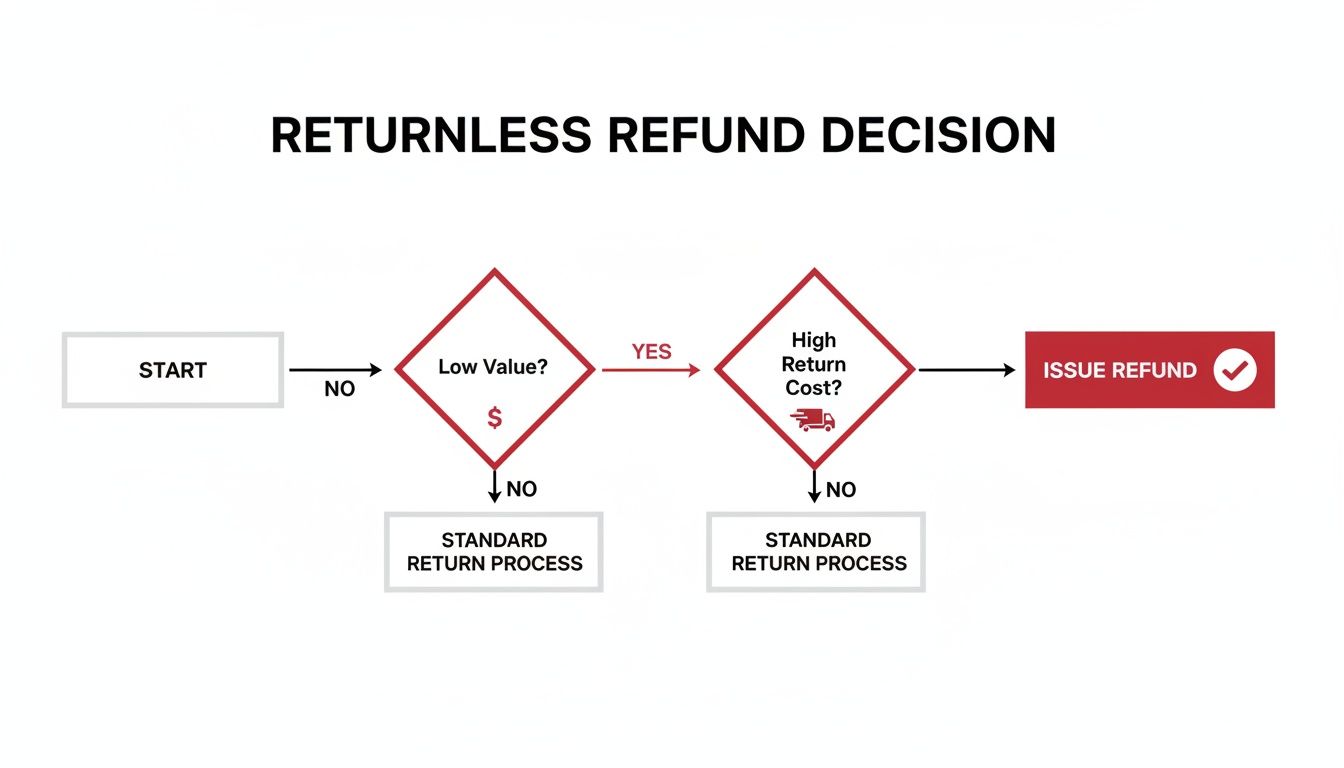
This isn't random. It's a calculation. Amazon's system constantly weighs variables—product value, return cost, category, and even the customer's history—to protect the bottom line. For sellers, this means shifting focus from recovering revenue on a lost sale to preserving as much margin as possible.
How a returnless refund on Amazon impacts your P&L depends entirely on your fulfillment model. The operational reality for Fulfillment by Amazon (FBA) versus Fulfillment by Merchant (FBM) sellers are two different ballgames, each with its own set of trade-offs and control levers.
One model offers convenience at the cost of control; the other puts you in the driver's seat but demands active management to protect your margins.
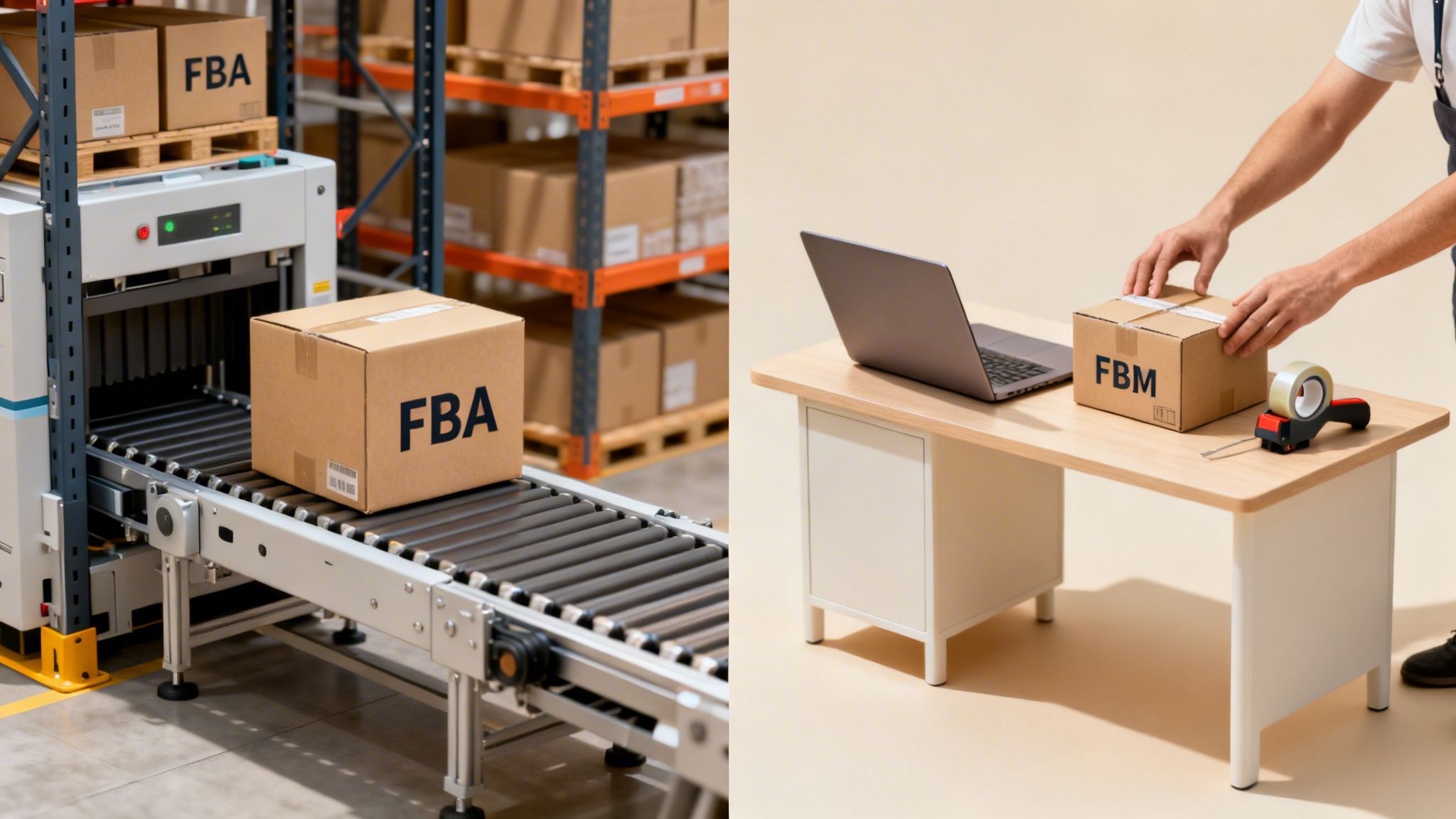
For FBA sellers, the process is automated and hands-off. Amazon runs the show through its “Returnless Resolutions” program, making decisions based on its own complex calculations. Your direct influence is minimal. You lose the product and the revenue, but you also avoid paying for the reverse logistics of getting it back.
The FBA system is built for scale and efficiency, not granular seller control. Amazon's program uses its algorithms to weigh the item's cost, historical damage rates, and customer data to decide when a return isn't worth the operational cost. For more on the FBA model, see our guide on what is FBA and how it shapes your operations.
For FBM sellers, the dynamic is completely different. You are in control. You can log into Seller Central and configure your own returnless refund rules based on price, category, and return reason. This is a critical lever for protecting your contribution margin, especially for brands shipping low-cost items themselves.
This control becomes even more important when you factor in Amazon’s mandatory prepaid return label policy. If you don't set smart rules, you could find yourself paying $5 for a return shipping label on a $12 product, only to get back an item you can’t resell.
As an FBM operator, your default should be setting a clear price threshold for returnless refunds. If the return shipping cost plus your labor to inspect the item exceeds your cost of goods, letting the customer keep it is the most profitable decision you can make in a bad situation.
The trade-off is clear. FBM gives you the power to fine-tune your policy to match your specific unit economics. But this power comes with responsibility—you must build a process for setting and reviewing these rules. If you don't, you risk bleeding profit one prepaid label at a time by paying to ship back worthless inventory.
While a returnless refund seems like an easy way to dodge reverse logistics costs, it opens the door to significant risks that many sellers underestimate. This policy isn't just a simple cost-saving move; for some customers, it's an open invitation to game the system.
This creates a critical trade-off: are you saving a few dollars on a return, or are you exposing your brand to fraud and masking deeper operational issues?
The most immediate threat is policy abuse. Savvy customers quickly learn which return reasons—like ‘item not as described’ or ‘arrived damaged’—are most likely to trigger an automatic, returnless refund. They get a free product, and you're left with a lost sale and an inflated refund rate that can damage your account health.

Beyond direct financial loss, returnless refunds create serious operational headaches for inventory management. When Amazon refunds a unit that never physically comes back, it creates a blind spot.
Your sales data shows a unit sold and then refunded, but your inventory records never show it returning. This mismatch degrades your data quality and leads to:
For any operator, not being able to inspect a returned product is a huge loss. You miss the chance to diagnose a real problem—whether it's a bad manufacturing batch, flimsy packaging, or carrier damage—all because you have no physical evidence.
This lack of a feedback loop is a hidden cost you can't ignore. Data from returns is one of the most valuable tools for improving your product and operations. Returnless refunds sever that loop, leaving you to rely on customer comments that may or may not be accurate.
To get ahead of this, you must stay on top of your return reports to spot abuse patterns before they spiral out of control. Tools like a refund risk predictor can also help you understand and mitigate these downsides.
Most sellers treat refunds as a reactive chore. But turning that chore into a proactive system is how you protect your margins. This isn't about eliminating refunds—that’s impossible—but about controlling their financial impact and using the data as a signal for smarter business decisions.
A solid framework fits into a logical progression: building a strong Foundation, implementing routine Optimization, and using the insights for strategic Amplification.
First, you need a solid foundation in your account. For FBM sellers, this is your primary defense against margin erosion. It starts with correctly configuring your return and refund settings in Seller Central to match your product's economics.
This initial setup is your first line of defense, ensuring you aren’t paying to ship back items that are broken or simply not worth the cost. If you need a refresher on the platform, our guide to what is Amazon Seller Central can get you up to speed.
With your foundation in place, the next step is optimization. This is where you move from setup to active management through disciplined, regular analysis. For any serious operator, a monthly or quarterly audit is non-negotiable. This is how you spot problems before they snowball.
Pull two key reports from Seller Central: the Returns Report and the Voice of the Customer (VOC) data. Your goal is to cross-reference them to find patterns. Keep a close eye on any ASINs with a refund rate that consistently creeps above 8%.
An isolated refund is just noise. A pattern is a signal. If the same ASIN gets refunded every month for the same reason, you have an operational problem that needs to be fixed—not just a customer service issue.
Once you’ve flagged a problem ASIN, dig into the return reasons. Are customers constantly claiming "item not as described"? Is "arrived damaged" a recurring theme? This data is the raw material for the final step.
A practical checklist to run every quarter. This process turns insights into actionable improvements that protect your bottom line.
| Audit Step | Key Metric to Analyze | Action to Take Based on Findings |
|---|---|---|
| Review Price-Based Rules | Total cost of returnless refunds vs. cost of goods sold (COGS) for affected ASINs. | Adjust the price threshold up or down. If the refund cost exceeds COGS, the threshold might be too high. |
| Analyze by Category | Refund rates for specific product categories (e.g., Health & Personal Care, Electronics). | Identify high-refund categories and consider creating stricter, category-specific refund rules. |
| Drill Down into Reason Codes | Frequency of specific return reasons like "arrived damaged" or "not as described." | For "damaged," investigate packaging. For "not as described," review the product detail page for clarity. |
| Check ASIN-Level Performance | Identify ASINs with refund rates consistently over the 8% threshold. | Flag these "problem ASINs" for a deeper dive into VOC data, reviews, and listing accuracy. |
| Assess Financial Impact | Calculate the total dollar value of returnless refunds as a percentage of your gross sales. | Set a target percentage. If you exceed it, it's a signal to tighten your rules or address product issues. |
Regularly running through this checklist will keep your refund management sharp and prevent small leaks from turning into major profit drains.
Amplification is where insights turn into strategic action. It’s about taking the findings from your audits and using them to drive meaningful change across your business. Your findings should directly inform your operations, product development, and FBA prep strategy.
For instance, if a specific shampoo bottle consistently triggers returnless refunds for "leaked during transit," the solution isn't to just absorb the cost. That data is a clear signal to take action:
This final step transforms refund data from a P&L line item into a powerful feedback loop. It fuels continuous improvement in product quality and customer experience, which ultimately drives profitability.
Managing Amazon’s policies, from returnless refunds to surprise FBA fee hikes, is critical for protecting your margins and scaling your brand profitably.
If you are a CPG founder or operator ready to move from a reactive stance to a proactive strategy that puts contribution margin first, our team is in the trenches daily. We understand the operational trade-offs and what it takes to drive profitable growth on the platform.
Book a free 30-minute strategy call with RedDog Group. This is a working session, not a sales pitch. We’ll dig into your real returns data, map its impact on your channel economics, and identify clear, actionable ways to improve your bottom line.
Strong margin management is the foundation of a healthy Amazon business. Our guide on using a retail profit margin calculator can also give you a head start.
For FBA orders, disputing an automated returnless refund is an uphill battle. Amazon's decision is nearly always final. Your best option is to check the return reason and file for a reimbursement if it qualifies—for instance, if the customer selected ‘customer damaged.’ Your time is better spent analyzing patterns than fighting one-off decisions.
For FBM sellers, you have more control over the rules you set upfront. Your strongest defense is a proactive audit process to spot abuse early and having clear, economically-sound rules in place.
A returnless refund doesn't impact your account health more than a standard return. The damaging element isn't the refund itself—it's the return reason.
High volumes of returns for reasons like ‘item not as described’ or ‘defective’ are red flags. Those will negatively impact your Voice of the Customer (VOC) ratings and your overall Account Health Rating (AHR). The key is to analyze why customers are requesting these refunds, not just that they are happening without a return.
Returnless refunds are most common in categories where the reverse logistics cost exceeds the item's value, or where sanitation concerns prevent resale. This typically includes low-cost, high-volume CPG goods.
Common categories include:
If your brand operates in these spaces, a disciplined strategy for managing the returnless refund on Amazon is non-negotiable for protecting your margins.
Navigating Amazon's policies is key to protecting your margins. If you're an operator focused on building a durable, profitable CPG brand on the marketplace, let's connect.
Book a complimentary 30-minute working session with RedDog Group to analyze your channel economics and build a practical growth plan. This is a strategy call, not a sales pitch.
Leave a comment: