
Published: March 2020 | Last Updated:January 2026
© Copyright 2026, Reddog Consulting Group.

Shipping products to Amazon's fulfillment centers is a critical operational step. It involves setting up your product listings, prepping items to Amazon's precise standards, creating a shipment plan in Seller Central, and sending your inventory on its way.
But before taping up a single box, you need to establish a solid operational foundation. This is the single most important part of creating a smooth, repeatable FBA process that supports scalable growth.
A strong shipping foundation is the bedrock of any successful FBA operation. This isn’t just about navigating Seller Central; it’s about building a deliberate process that prevents costly mistakes and supports your brand's growth.
Getting this right transforms shipping from a reactive chore into a strategic advantage. It aligns perfectly with our Foundation → Optimization → Amplification growth framework. This initial setup ensures your operational base is strong enough to handle future volume and avoids the logistical nightmares that can kill sales momentum.
Your product catalog is the command center for FBA shipping. Every detail—from dimensions and weight to product category—directly impacts your fulfillment fees and where Amazon directs your inventory. Inaccurate data leads to measurable losses, like unexpected oversize fees or entire shipments being rejected at the warehouse.
The most critical distinction to get right is between individual products and case-packed goods.
A clean, well-managed catalog isn't just about good housekeeping; it's a direct line to operational efficiency and profitability.
The "Ship-From" address in Seller Central is more than a return address; it's a key data point Amazon's algorithm uses to determine which fulfillment centers should receive your inventory.
An outdated or incorrect address can significantly increase your shipping costs. For example, if Amazon thinks your 3PL is on the East Coast but it's actually on the West Coast, it might route products across the country, leaving you with an unnecessarily large inbound shipping bill.
Setting your primary warehouse or 3PL as the default ship-from location is a simple but powerful optimization. It helps Amazon’s logistics network calculate the most efficient and cost-effective inbound routes, saving you measurable capital on every shipment.
Ensure this address is always current, especially if you work with multiple 3PLs. A quick check before creating each shipment prevents unnecessary expenses and delays.
For a deeper dive into the FBA system, see our guide on what Fulfillment by Amazon is and how the process works.
Optimizing inbound FBA shipping is one piece of the puzzle. Exploring broader strategies to reduce shipping costs can have a significant impact on overall profitability. With a clean catalog and accurate shipping details, you’re ready to execute the shipment creation workflow with confidence.
With your foundational settings in place, it’s time to move to the core of the FBA shipping process: creating the shipment plan. This is done within the “Send to Amazon” workflow in Seller Central. While it may seem complex at first, it's a guided process for informing Amazon about your incoming inventory.
Mastering this workflow is a key part of the Optimization stage in our growth framework. You’ll transition from simply sending boxes to making strategic decisions that reduce costs, speed up receiving times, and improve your in-stock rates. The goal is to build a smooth, repeatable system—not solve a logistical puzzle with every restock.
The shipment plan breaks down into three core steps, starting with your shipping address and moving through product and packing details.
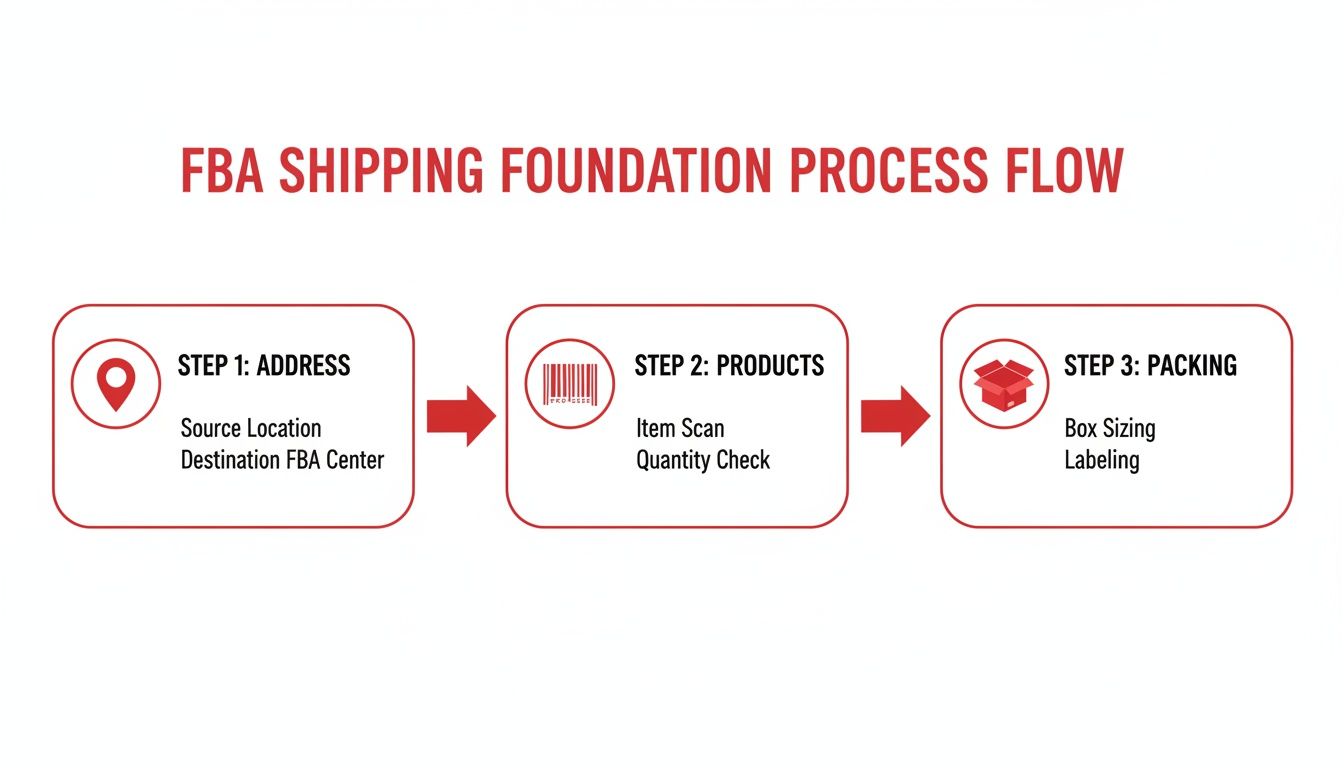
This sequential workflow ensures each step builds on the last, preventing common errors and downstream delays.
Your first action is to select the SKUs you plan to send and enter the exact quantity for each. Accuracy is non-negotiable. If you declare 100 units but only 98 arrive, Amazon flags a shipment discrepancy. This can delay your entire shipment and even trigger warnings on your account health.
Be meticulous. A simple miscount at your warehouse can snowball into major operational headaches at the fulfillment center. This is also where you confirm whether your products are individual units or case-packed, a detail that should already be defined in your product listings.
A common question is, "What happens when Amazon splits my shipment into multiple destinations?" This is a standard and intentional part of Amazon's logistics. The algorithm allocates inventory to fulfillment centers based on customer demand, warehouse capacity, and your shipping origin. While it may slightly increase shipping costs, it positions your products closer to customers, which can lead to faster delivery times and better sales conversion.
After confirming your products, you must decide how they will get to Amazon. The two main options are Small Parcel Delivery (SPD) and Less-Than-Truckload (LTL). The right choice depends on the size and weight of your shipment.
Small Parcel Delivery (SPD) is the standard method for sending individual boxes, typically with carriers like UPS or FedEx. For a handful of cartons, this is almost always the correct choice.
Less-Than-Truckload (LTL) is for shipping products on pallets. Once you have enough boxes to build a pallet (a good benchmark is 150 lbs or more), LTL becomes significantly more cost-effective. The carrier handles a single pallet instead of dozens of individual boxes.
Choosing between these methods is a key decision point for growing brands. This comparison can help clarify which is right for your shipment.
| Attribute | Small Parcel Delivery (SPD) | Less-Than-Truckload (LTL) |
|---|---|---|
| Best For | Smaller, lighter shipments (under 150 lbs) | Large, heavy shipments (over 150 lbs) |
| Typical Use Case | A few individual cartons | 15+ cartons consolidated on a pallet |
| Cost Structure | Priced per box, based on weight and dimensions | Priced per pallet, based on weight, freight class, and distance |
| Carrier | UPS, FedEx, etc. (Amazon Partnered Carrier rates are highly competitive) | Freight carriers (e.g., Estes, TForce Freight) |
| Flexibility | High; easy to track individual boxes | Lower; requires palletizing and a scheduled pickup |
| Operational Lift | Low; just apply labels and schedule pickup | Higher; requires pallet, shrink wrap, and a loading dock or liftgate |
A common tipping point for brands is around 15-20 standard-sized boxes. At that volume, the cumulative cost of SPD often surpasses the cost of a single LTL pallet shipment. Analyze your carrier rates, but don’t underestimate the operational efficiency gained from LTL.
Ultimately, the goal is to find the most efficient and economical way to induct your inventory into Amazon's network. For brands sourcing from overseas, LTL shipping is standard. Coordinating large shipments from a supplier requires a freight forwarder. Learn more in our guide on how to choose the right Amazon FBA freight forwarder to ensure your international logistics are managed correctly.
The final, critical step is providing box content information. Here, you tell Amazon exactly which SKUs and quantities are inside each specific box. This can be done by uploading a simple spreadsheet or entering the information directly into the workflow for smaller shipments.
This step is crucial because it enables rapid receiving. When your shipment arrives, Amazon scans a 2D barcode on the box that contains your content list. This allows their automated systems to know precisely what's inside without opening and manually counting every item.
Skipping this step or providing inaccurate data results in per-item fees and will likely push your inventory to the back of the check-in line. Taking five minutes to get this right will save you time, money, and significant frustration.
Correct prep and labeling are non-negotiable. Errors here are a leading cause of FBA shipments being delayed, rejected, or incurring unplanned service fees at the fulfillment center. The goal is to make your products “robot-ready” so Amazon’s automated systems can receive and shelve them without manual intervention.
Think of it this way: every item arriving at an Amazon dock needs to be instantly identifiable by their scanners. A smudged, covered, or incorrectly placed barcode disrupts this highly tuned machine, forcing a human to step in. This manual exception costs you both time and money.
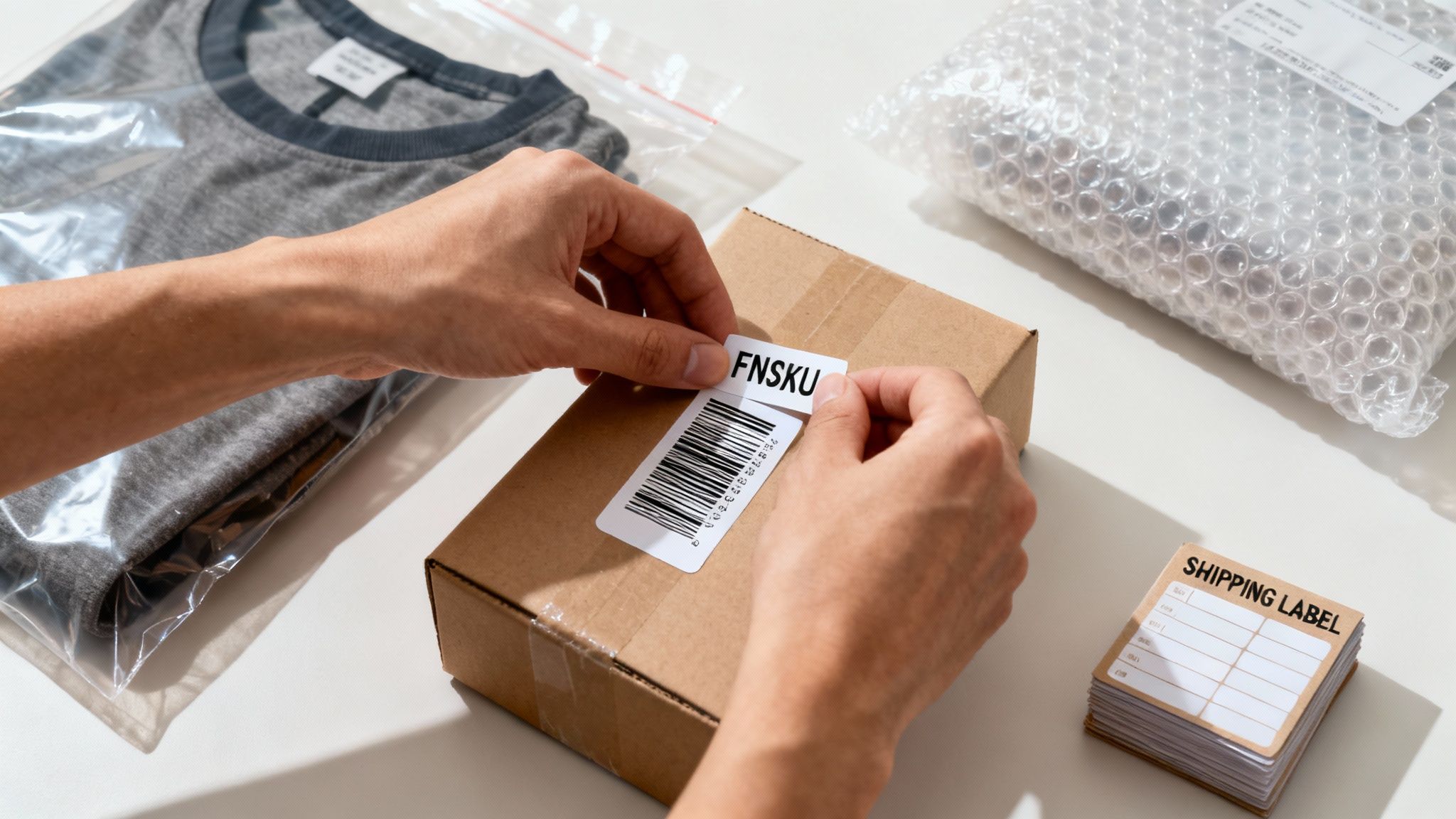
Every product sent to FBA needs a unique barcode that links it directly to your seller account. This is the FNSKU (Fulfillment Network Stock Keeping Unit), Amazon’s internal identifier for your inventory.
You should not rely solely on the manufacturer's UPC or EAN barcode. While Amazon offers a "commingled inventory" option, we strongly advise against it for brand integrity. Using your own FNSKU ensures that when a customer buys from you, they receive a unit you sent in—not a counterfeit or damaged one from another seller’s stock.
The FNSKU must be the only scannable barcode on the product's exterior. Any original UPCs on the packaging must be completely covered. A common mistake is placing the FNSKU next to the UPC, which confuses scanners and triggers receiving errors.
Amazon has specific prep requirements based on product type. These are strict rules designed to protect your products and maintain warehouse efficiency.
Here are a few common prep scenarios:
Beyond Amazon's rules, it’s wise to understand general best practices. Learning expert techniques for packing boxes for shipping provides an extra layer of protection for your inventory.
A partner brand selling a high-end face cream in a glass jar shipped their first batch without bubble wrap, assuming the product's retail box was sufficient. Nearly 20% of the shipment was damaged and marked as unsellable upon arrival. Implementing simple bubble wrap for the next shipment eliminated the issue, saving thousands in lost inventory and protecting their profit margin.
A common point of confusion is the difference between product labels (FNSKUs) and carton labels (FBA Box IDs). Mixing them up guarantees your shipment will be sidelined for manual processing.
Here’s the simplest way to remember the distinction:
For example, if you ship a case of 24 identical mugs, each of the 24 mugs gets its own FNSKU sticker. The large cardboard box containing all 24 mugs gets one FBA Box ID label on the outside. This outer label links back to the box content information you provided, telling Amazon's system everything inside. Never put FNSKU labels on the outer shipping carton.
Selecting a carrier is a strategic decision that directly impacts your profit margin, inventory availability, and speed to market. Your choice of carrier is a key Optimization lever for brand growth.
The primary decision is whether to use an Amazon Partnered Carrier or a non-partnered one. For domestic shipments, the answer is almost always straightforward.
Amazon leverages its immense volume to negotiate deep discounts with carriers like UPS for small parcel and a network of freight companies for LTL. These rates are typically much lower than what a small or mid-sized brand could secure independently.
But the benefits extend beyond cost savings. When you choose a partnered carrier within the "Send to Amazon" workflow:
For the vast majority of brands shipping domestically, the combination of competitive pricing and operational simplicity makes the Amazon Partnered Carrier program the optimal choice.
Are there reasons to use your own carrier? Yes, but they are specific. This path typically makes sense only for brands with unique logistical needs or those moving such massive volumes that they have negotiated their own favorable rates.
For instance, a large brand with a daily truck from a specific carrier picking up B2B and DTC orders might find it operationally simpler to add their FBA boxes to the same truck, even at a slightly higher cost per box. However, this is the exception, not the rule.
For sellers who are starting out or scaling, the partnered carrier program provides a significant competitive advantage. It levels the playing field by giving smaller brands access to enterprise-level shipping rates without contract negotiations or volume commitments.
Sourcing products from overseas introduces greater complexity. You cannot simply use a partnered carrier for pickup from a factory in China. This is where a freight forwarder becomes an essential partner.
A good freight forwarder acts as your international logistics quarterback, managing the entire journey from your supplier's factory to Amazon’s fulfillment center. Our guide on how to ship from China to Amazon FBA breaks down this entire process.
Key functions a freight forwarder handles include:
Attempting to manage international shipping independently is a recipe for disaster. A single error on a customs form can leave your inventory stranded at a port for weeks, incurring heavy storage fees and causing a stockout that damages your sales velocity.
Choosing the right partners—whether Amazon’s discounted domestic carriers or a trusted international freight forwarder—is fundamental to building a resilient and profitable supply chain.
Even the most meticulous shipping plan can encounter issues. Shipments can get stuck in "receiving," or Amazon's final count might not match what you sent. A clear, effective troubleshooting process is necessary to protect your inventory, cash flow, and brand momentum.
Knowing how to resolve these common FBA shipping problems is just as important as knowing how to create the shipment in the first place.

A shipment discrepancy—when Amazon's received count differs from your shipment plan—is a frequent challenge.
First, do not panic. Shipments are often checked in incrementally over several days or even weeks, especially during peak periods like Q4 or Prime Day. Amazon will mark the shipment as "closed" only after they are confident the full count is complete. You can only open a reconciliation case after that point.
When you open a case, you must provide proof. Proactive documentation is key.
Gathering this documentation before opening a case with Seller Support dramatically increases your chances of a swift, successful resolution and reimbursement.
Stranded inventory is a silent profit killer. These are products sitting in a fulfillment center, incurring storage fees, but unavailable for sale. This can be caused by listing errors, brand gating issues, or missing product information.
Your first step should be the "Fix Stranded Inventory" page in Seller Central. Amazon typically identifies the problem and provides a direct path to resolution. Common causes include:
Addressing stranded inventory quickly is critical. Every day an item sits inactive, it costs you money in storage fees and lost sales. Make checking this report a weekly habit to catch and resolve issues before they escalate.
The most effective way to handle shipping problems is to prevent them. A few simple, repeatable steps at your warehouse or 3PL can save you significant headaches.
Start by implementing a double-check system. Before sealing a carton, have a second person verify the contents against the packing slip. This simple quality control step catches miscounts before they leave your facility.
Next, take pictures. A quick photo of the contents of each box before sealing creates a visual record that is invaluable for disputing discrepancies.
Mastering these operational details is a competitive necessity. As of 2025, an estimated 82% of active Amazon sellers use FBA. This widespread adoption shows that operational excellence—from accurate packing to efficient problem-solving—is what separates top sellers. You can learn more about the growth of FBA and its impact on sellers. By building these checks into your standard operating procedures, you create a more resilient FBA foundation.
Even detailed guides can't cover every scenario. When you're creating a shipment, small questions can become major roadblocks. Here are straightforward answers to common queries we hear from brands refining their FBA process.
For Less-Than-Truckload (LTL) shipments, timing matters. Our advice is to always schedule pickups for the morning.
Freight carriers manage a full day of stops, and afternoon appointments are the first to be rescheduled if a driver falls behind. A missed pickup disrupts your entire inventory replenishment schedule. A morning slot provides the best chance of getting your pallets on the road as planned.
Yes. In fact, shipping directly from your manufacturer to Amazon is a powerful way to build an efficient supply chain. It eliminates the intermediate step of receiving, prepping, and reshipping inventory yourself, saving significant time and money.
However, this requires perfect coordination. Your supplier must be capable of following Amazon’s strict prep, labeling, and packing rules precisely. If there is any doubt, using a 3PL or a prep center as a quality control checkpoint is a much safer approach.
It can be stressful when carrier tracking shows "Delivered," but Seller Central remains in "Receiving" status for days. This is normal, especially during peak seasons like Q4 or Prime Day.
Amazon's fulfillment centers are massive operations. Your shipment must move from the loading dock to a receiving line to be scanned, and this takes time.
A shipment can remain in "Receiving" for several days or even a couple of weeks. As long as tracking confirms delivery, patience is key. Do not open a support case until the shipment reconciliation date has passed.
To put the scale into perspective, Amazon Logistics handled 6.3 billion U.S. delivery orders in a single year. You can find more stats on Amazon's massive logistics network on capitaloneshopping.com. Your products are entering an enormous system.
Sending more units than declared in your shipping plan creates problems. Amazon's receiving process is highly automated and relies on the data you provide. Unexpected items disrupt that process.
Best-case scenario: the extra units are eventually scanned and added to your inventory after a long delay. Worst-case scenario: Amazon flags your account for repeated inaccuracies, which could lead to a suspension of your shipment creation privileges. Accuracy is paramount. Always double-check your physical count against your digital plan before sealing the boxes.
Products classified as hazardous materials (hazmat)—such as items with lithium batteries, aerosols, or flammable liquids—require a specific FBA program.
You must provide a Safety Data Sheet (SDS) and complete a separate approval process. Not all fulfillment centers can handle dangerous goods, so Amazon will route your shipments to specialized facilities. Attempting to send undeclared hazmat products into the FBA network is a serious policy violation and a fast way to get your account suspended.
Mastering your FBA shipping process is a critical step in scaling your brand. At RedDog Group, we turn complex logistics into a streamlined growth engine, connecting your operations to your marketing for measurable results. If you're ready to move beyond just shipping boxes and start building a truly optimized omnichannel strategy, let's talk.
Leave a comment: