
Published: March 2020 | Last Updated:February 2026
© Copyright 2026, Reddog Consulting Group.

To create an Amazon Storefront, you first need to be a brand-registered seller. This is the key that unlocks the ability to build a custom, multi-page brand destination on the world's largest eCommerce platform.
Think of it as your brand’s dedicated website, but built right inside Amazon. It’s a space where you can tell your story, showcase your entire product catalog, and drive sales without the distraction of competitor ads. For any brand serious about omnichannel growth, a Storefront is a foundational asset that integrates your online and offline presence.
(QUICK BREAK TO SHARE) We are here to chat about this & much more through our free 30-MIN STRATEGY CALL

A standard product detail page is like a single billboard on a brutally crowded highway. Your Amazon Storefront, in contrast, is your flagship retail location in the middle of the world's busiest shopping district. It shifts the customer experience from a simple, one-off transaction into an immersive, brand-centric journey.
This is your opportunity to take control of the narrative. Away from the constant noise of competitor ads and algorithm-driven recommendations, you get to guide shoppers through your world. It's where you can connect with customers on a deeper level and build the kind of brand loyalty that fuels measurable, long-term growth.
For brands focused on scaling, a Storefront isn't just a "nice-to-have"—it's a core component of a winning eCommerce strategy. It acts as a central hub that amplifies all your other marketing efforts, both on and off Amazon.
A well-executed Storefront delivers clear, measurable results:
At its core, an Amazon Storefront is the Foundation for your brand's presence. It’s the owned space where you can demonstrate your value proposition, tell your story, and build a direct relationship with millions of potential customers.
The Amazon marketplace is a battlefield. To put it in perspective, third-party sellers were responsible for 61% of Amazon's unit sales, with independent vendors generating over $389 billion. These sellers list nearly 350 million items and sell around 8,600 products every single minute. You can discover more insights about the scale of the Amazon marketplace and its sellers to see just how fierce the competition is.
In this environment, a Storefront is your single greatest tool for standing out. It allows you to build a brand, not just sell a product.
Before you start designing layouts and selecting hero images, you have to get the foundation right. Skipping these crucial first steps is like building a house on sand—it’s guaranteed to create massive headaches down the road.
To build a powerful Amazon Storefront, you need a few non-negotiable pieces in place. It all starts with your seller status.
You must have an active Professional Seller Account to access the advanced brand-building tools we’re discussing. If you're new to the platform, it's vital to understand how to open an Amazon seller account and handle the initial setup correctly. Nailing this from day one prevents compliance issues that can halt your progress.
The single most important requirement is enrolling in Amazon Brand Registry. This isn't a suggestion; it's the gatekeeper. Without it, the Storefront builder, A+ Content, and a suite of brand protection tools remain completely locked.
So, what does Brand Registry require? One critical asset: a registered trademark. This is your official proof of ownership, the document that tells Amazon you are the legitimate owner of the brand you want to build on their platform.
Think of Brand Registry as the official deed to your digital property on Amazon. It gives you the authority to control your brand’s story, protect it from hijackers and counterfeiters, and access the premium tools needed for true Optimization.
The trademark process can feel daunting, but it's a foundational investment in your brand’s future, both on and off Amazon. For a deeper dive, read our guide on what Amazon Brand Registry is and why it's vital for growth.
Before diving into the Storefront builder, run through this quick checklist. These aren't just suggestions—they are the absolute must-haves to get started.
| Requirement | Why It's Critical | Pro-Tip |
|---|---|---|
| Professional Seller Account | This is the basic entry ticket. The free Individual plan doesn't include access to Brand Registry or Storefronts. | Upgrade before starting the trademark process. This ensures everything is aligned when you're ready to enroll in Brand Registry. |
| Amazon Brand Registry Enrollment | Brand Registry is the gatekeeper. Without it, the Storefront creation tool is completely inaccessible in Seller Central. | Start your trademark application ASAP. The process can take months, so don't wait until you're ready to build. |
| Active Registered Trademark | This is Amazon's way of verifying you own the brand. It protects you and them, preventing unauthorized sellers from building a Storefront for a brand they don't own. | A word mark (just text) is often more flexible than a design mark (logo), as it protects your brand name regardless of how your logo might evolve. |
| Products Listed Under Your Brand | Your Storefront needs something to showcase. You must have existing product listings associated with your registered brand name. | Ensure the "brand name" attribute on your listings exactly matches the name on your trademark certificate. Any discrepancy will cause issues. |
Getting these ducks in a row first makes the actual Storefront creation process infinitely smoother.
With your account and Brand Registry sorted, there’s one last piece to the puzzle: ensuring your products are retail-ready. A stunning Storefront that leads to sloppy, unoptimized product detail pages is a complete waste of effort and ad spend.
Before you build a single page, make sure every product you plan to feature is already optimized. This means having your best assets ready:
The Amazon marketplace is tougher than ever. Recently, new seller registrations hit a decade-low in what some call the 'Great Compression,' as rising ad costs and fierce competition squeezed margins. But this also created more opportunity per seller, with third-party gross merchandise value soaring to $575 billion globally. In this environment, you can't afford any weak links. Your foundational work must be flawless.
Once you have these pillars in place—a Professional Account, Brand Registry enrollment, and retail-ready products—you’re officially ready to move from groundwork to growth.
You've got Brand Registry approval and your products are retail-ready. Now for the creative part: actually building your Storefront. This is where your brand’s vision comes to life inside the Amazon ecosystem. The entire process happens in Seller Central using a surprisingly intuitive drag-and-drop tool.
Jumping into the builder for the first time can seem overwhelming, but remember, it was designed for brand owners, not developers. The best approach is to come in with a clear plan for the customer journey you want to create.
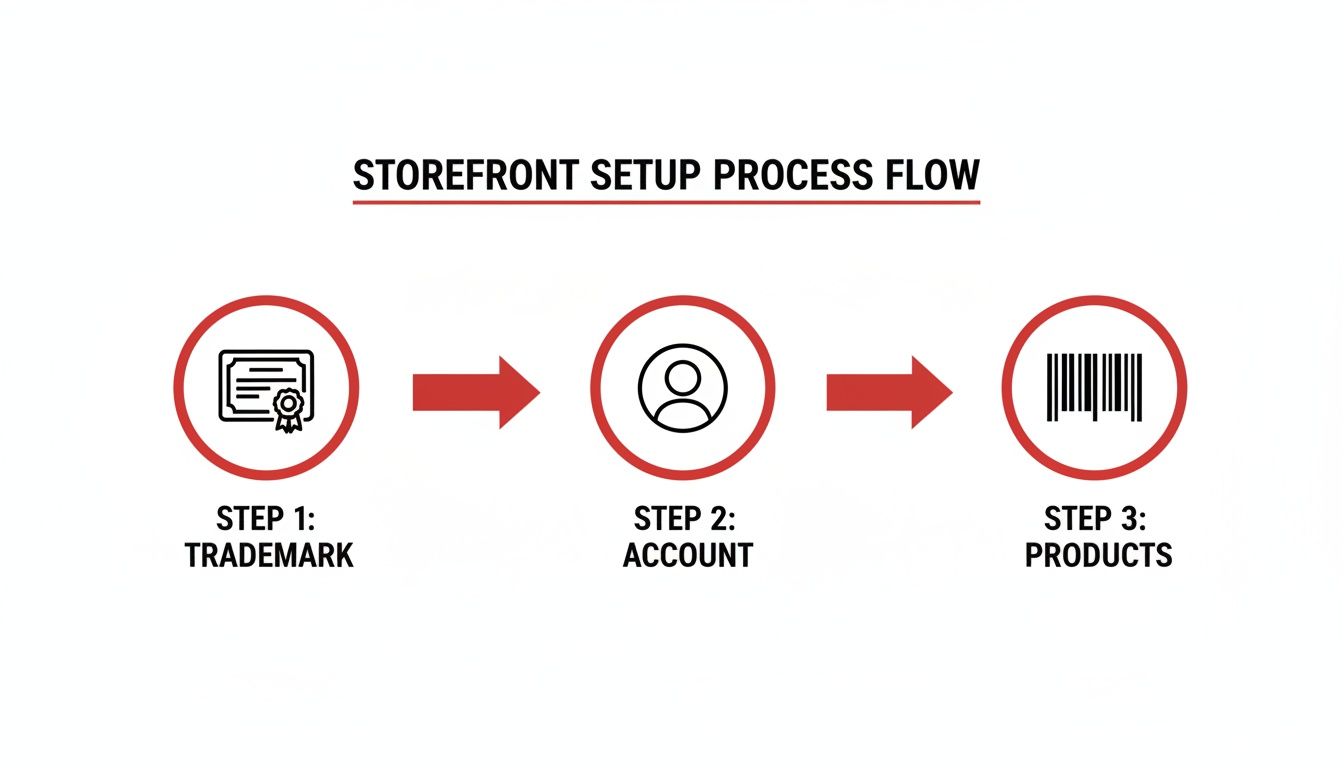
This simple flow—Trademark → Account → Products—shows how each foundational piece builds on the last, giving you access to the Storefront builder so you can get to work.
Once you're logged into Seller Central, head to the "Stores" tab to find the builder. Your first decision is to pick a template. Amazon offers a few solid starting points:
Don't overthink this choice. Every template is 100% customizable. You can add, remove, and rearrange all the content blocks (Amazon calls them "tiles") to achieve the exact layout you envision. Just pick the one that feels closest to your goal.
Think of your homepage as your digital front door. It needs to instantly communicate who you are, what you sell, and why it matters. A great homepage typically nails a few key elements.
First is the hero image or video. This is the large banner at the top and your best opportunity to make a strong first impression. A polished, 30-second brand video that captures your ethos will be far more impactful than a static product shot. Aim for inspiration, not just information.
Next, guide visitors deeper into your store. A "shoppable image" tile is perfect for this. For example, a home decor brand could show a styled living room and make the sofa, rug, and lamp individually clickable, leading straight to their respective product pages.
Your homepage shouldn't try to sell everything at once. Its primary job is to tell your story and direct traffic to the right sub-pages. Think of it as a well-organized table of contents for your brand.
Finally, don't forget to include your brand story. This can be a simple text tile paired with a photo of your founder or team. It adds a human touch that builds trust and differentiates you from countless faceless sellers.
One of the biggest mistakes brands make is dumping all their products onto one massive, endless page. This creates a poor user experience and hurts conversion rates. The real power of a Storefront is its multi-page structure, which lets you create curated shopping experiences.
Put on your retail merchandiser hat and group your products into collections that reflect how your customers actually shop.
Each of these should be its own dedicated sub-page, linked from your main navigation menu. On these pages, you can use product grids, add videos showing specific items in action, and include text that explains the benefits of that particular collection. This structure makes it easy for shoppers to find what they're looking for—and to discover new products they didn't even know they needed.
Once the basic structure is in place, the Optimization phase begins. It’s time to shift your focus from simply building to actively engineering for sales. A functional Storefront is fine, but a high-converting one is what moves the needle. This is where sharp design, compelling visuals, and persuasive copy converge to turn casual browsers into loyal customers.
Think of this as digital merchandising. You've built the shelves; now you have to arrange the products in a way that’s not just intuitive but also profitable.
When a shopper lands on your Storefront, you need to provide a clear path for their eyes to follow. That’s the job of a strong visual hierarchy. It’s about arranging content to guide their attention, starting with your single most important message.
Your hero image is the star of the show. This isn't just a place for another product photo; it's prime real estate to make a bold statement about your brand. A powerful lifestyle image that places your product in an aspirational context creates an instant emotional connection that a simple shot on a white background never could.
For instance, if you sell high-end kitchen knives, don't just show the knife set. Use a hero image of a chef expertly preparing a gourmet meal. You’re selling the experience and the benefit, not just the features.
The Storefront builder provides a toolbox of content tiles. The secret to great design is knowing which tool to use for which job. Mixing these modules keeps the layout fresh and encourages visitors to explore.
Your goal is to create a seamless journey. Every tile should have a clear purpose, whether it’s to educate, inspire, or guide the user to the next logical step. Don’t just fill space—make every pixel earn its keep.
Think of each page as a chapter in your brand's story. The homepage is your introduction, and the sub-pages are where you dive deep into the details of each product line or collection.
A significant portion of Amazon shoppers buy from their phones. If your Storefront is clunky or broken on a small screen, you are actively losing sales. The builder has a mobile preview feature for a reason—use it constantly.
Here’s your mobile optimization checklist:
A mobile-first approach guarantees a smooth brand experience, no matter how a customer finds you. This simple check can make a massive difference in your bounce rates and sales.
Visuals grab attention, but copy closes the deal. The writing on your Storefront needs to be clear, concise, and focused on benefits, not just features.
Tell customers what your product will do for them. Instead of saying, "Our coffee beans are single-origin," try, "Experience a richer, smoother morning brew with our ethically sourced, single-origin beans." The first is a fact; the second is a feeling.
Ensure your brand voice is consistent across every page. Whether you're witty, professional, or friendly, that personality should shine through in every word. This is what transforms a simple product collection into a true brand destination.
You’ve built a beautiful, strategic Amazon Storefront. Now what? A stunning Storefront that nobody sees is just a digital art project. The Amplification stage begins now: turning that brand hub into a high-traffic destination that drives measurable sales.
The key is to create intentional pathways that guide shoppers directly to your brand’s world, from both inside and outside of Amazon. This requires a mix of smart advertising, organic content, and leveraging your unique Storefront URL across all channels.
Amazon provides powerful tools to pull shoppers from the vast, noisy marketplace into your curated brand environment. Think of these less as ads and more as targeted invitations.
Sponsored Brands campaigns are your best friend here. These are the ads you see across the top of search results, and they can link directly to a specific page in your Storefront. Instead of just sending a shopper to a single product, you can land them on a custom collection. For example, an outdoor gear brand could run an ad for "waterproof backpacks" that links to their "Hiking Essentials" Storefront page, showcasing bags alongside boots, water bottles, and apparel. This is how you turn a single click into a larger purchase.
Don't overlook Amazon Posts. It's a free, organic way to engage customers—essentially your brand's own social media feed right on Amazon. Each post can link to a product, but the smarter move is linking to a relevant Storefront sub-page to encourage discovery of your wider catalog.
Your Storefront’s influence shouldn't stop at Amazon's borders. One of its most valuable assets is its clean, shareable URL (like amazon.com/yourbrand), which is perfect for external marketing.
Integrate this URL into all your digital touchpoints:
This omnichannel strategy turns your Storefront into the central conversion point for all your marketing, bridging your online and offline worlds.
Driving traffic without measuring it is just guessing. Amazon provides a dedicated analytics dashboard, Storefront Insights, that delivers the hard data you need to understand what's working and what isn't.
This dashboard is your source of truth, tracking key metrics you should monitor closely:
By digging into this data, you can spot your most popular pages and products, map out the customer journey, and pinpoint where to optimize. If one sub-page gets tons of traffic but few sales, it’s time to rethink its layout or the featured products.
The Amazon third-party marketplace is enormous, with sellers averaging over $290,000 in annual sales. With global net sales hitting $638 billion and ad revenue at $56.2 billion, the competition is fierce. Using data to refine your strategy isn't just a good idea—it's essential for survival.
Constant optimization, fueled by data from both Storefront Insights and your expert Amazon ads management, is how you turn your Storefront from a static page into a dynamic, ever-improving sales channel.
Even with a perfect roadmap, you're bound to have questions when building out your Amazon Storefront. Let's tackle some of the most common ones we get from brands every day.
Once you hit submit, you're typically looking at a 24 to 72-hour review period. Keep in mind this can stretch out during the holiday rush in Q4 when everyone is updating their creative.
To avoid delays, ensure every image and line of copy is clean and adheres to Amazon's creative acceptance policies. The fastest way to get a rejection is by using unapproved marketing claims like "best-selling" or "#1 choice." One slip-up sends you right back to the start of the queue.
Yes, and you absolutely should. Amazon provides a clean, short URL specifically for this purpose (e.g., amazon.com/yourbrand). This link is invaluable for your social media bios, email newsletters, and even QR codes on your product packaging.
Amazon rewards brands that drive external traffic. It signals to their algorithm that you're invested in the platform, which can provide a welcome boost to your organic rankings. Use Amazon Attribution to track how your off-Amazon campaigns are performing so you can measure what's actually driving sales.
The single biggest mistake we see is brands treating their Storefront like a glorified product list. They throw up some low-res images, use a cluttered layout, and then forget about it. A stale Storefront with no new products or seasonal updates tells customers you aren't paying attention.
Another classic pitfall? Forgetting to tell your story. This is your one chance on Amazon to build a real connection that goes beyond a single transaction. Use the space to show customers who you are and what your brand stands for.
Ready to build an Amazon Storefront that doesn't just look good, but actually drives measurable growth? The team at RedDog Group builds foundational, optimization, and amplification strategies that turn marketplaces into powerful revenue engines. Let's Talk Growth.

Leave a comment: