
Published: March 2020 | Last Updated:September 2026
© Copyright 2026, Reddog Consulting Group.

A lot of Amazon sellers still treat video like a creative add-on. That's outdated.
Amazon's own historical U.S. data showed that detail pages with shoppable videos saw an average 23.8% increase in sales during January through June 2024, and Amazon now exposes video metrics inside Seller Central, including total views, view duration percentage, average view duration, views conversion rate, and product clicks through its shoppable video guide. Once a retail asset becomes measurable at the ASIN level, it stops being “content” and starts being an operating lever.
That matters because contribution margin on Amazon is rarely lost in one big decision. It gets chipped away by weak conversion, soft click-through, extra ad spend, slower inventory turns, and unnecessary creative rework. A strong product video for Amazon can help with several of those at once. A bad one just adds cost.
The brands that get this right don't start with a camera. They start with the same sequence that governs most healthy marketplace growth. Foundation first. Optimization second. Amplification after that. Video belongs in that stack, but only if it earns its place.
Amazon has made the case for video in its own ecosystem. According to Amazon-related shoppable video materials summarized by Acadia, shoppers who watch product videos are reported to be 3.6 times more likely to buy, and adding a product video has been associated with a 9% increase in click-through rate in Amazon materials. The same writeup also cites estimated category-level potential sales lift for January through June 2024 of 29.9% for Clothing, 24.1% for Home, 22.9% for Lawn and Garden, 22.4% for Office Products, versus an overall average of 21.8% in Amazon's broader shoppable video materials, as covered in Acadia's review of Amazon listing video performance.
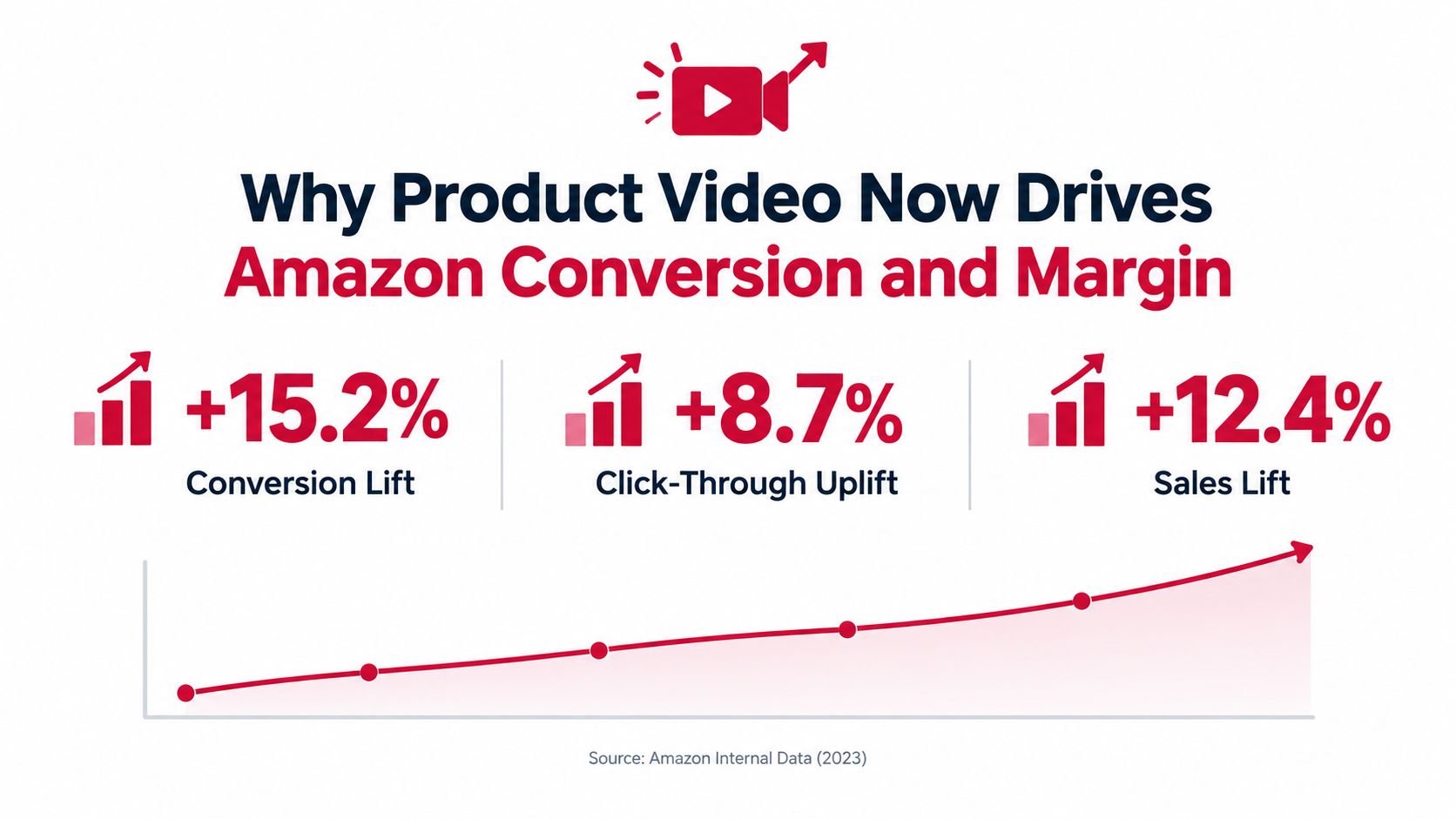
Those numbers change how operators should think about video. This isn't just branding. It's part of the retail conversion stack, right beside image sequencing, title clarity, review quality, price architecture, and A+ content.
Amazon didn't just report lift. It also made video measurable inside Seller Central, which is the shift. When teams can see total views, view duration percentage, average view duration, views conversion rate, and product clicks at the catalog level through Amazon's Seller Central and video growth perspective, video moves into normal merchandising operations.
That changes the questions worth asking:
A lot of brands skip that discipline. They upload one polished asset, then never revisit it. That's expensive behavior on a marketplace where every underperforming element pushes you toward higher spend elsewhere.
Practical rule: If your main images, reviews, price point, and inventory position are unstable, video won't save the listing. Fix Foundation first.
A product video for Amazon earns its keep when it improves conversion enough to support healthier economics. Better conversion can reduce pressure on paid traffic efficiency, improve inventory velocity, and justify premium pricing when the demo removes hesitation.
That doesn't mean every SKU deserves the same treatment. A highly demonstrable kitchen tool and a commodity refill pack shouldn't get the same production budget. Category lift varies, shopper objections vary, and the economics definitely vary.
If you need a practical primer on structuring the asset itself, this guide on how to make product videos that convert is useful because it keeps the focus on what the shopper needs to see, not on making the video look like a brand film.
A product video for Amazon usually succeeds or fails in planning. Teams miss conversion because they shoot before they define the shopper job, the buying objection, and the proof that clears it.
For CPG, that planning work is not a creative exercise first. It is a margin decision. The video needs to answer one question: will this asset remove enough hesitation to improve conversion and inventory flow for this ASIN? If the answer is unclear, keep the budget tight until the concept gets sharper.
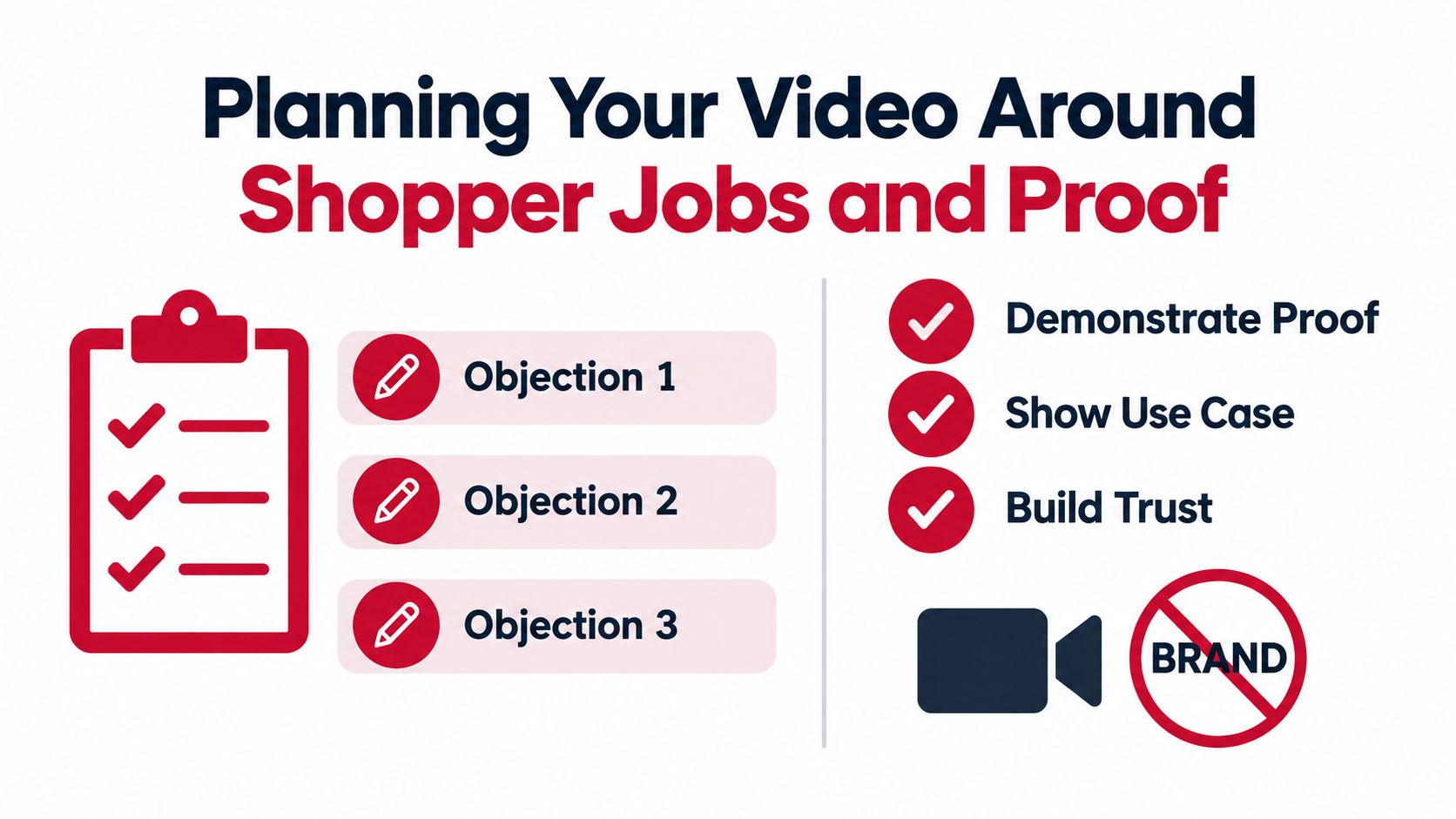
Amazon shoppers are trying to reduce purchase risk quickly. The storyboard should reflect that.
For many CPG SKUs, hesitation comes from three places:
Those questions should dictate what gets filmed. Protein powder needs scoop size, mixability, and texture in the glass. Food storage containers need lid fit, stackability, and a clear sense of capacity. A scalp care product needs consistency, application, and a realistic in-hand use shot.
A one-page planning brief is usually enough if it covers the points that affect conversion and cost:
That last line matters more than teams admit. A hero SKU with steady traffic can support a better production budget because even a modest conversion lift can move more units. A low-velocity refill or niche variant often needs a simpler asset.
The best Amazon video concepts are usually plain and disciplined. Show the use case fast, show the product in use, then show the visible result.
A simple proof arc looks like this:
If the shopper needs close attention to voiceover to understand the product, the edit is carrying too much explanation and not enough proof.
This also affects return rate. Expectation gaps create expensive returns, especially in categories where size, texture, strength, or setup are easy to misread from static images. Good video can reduce that gap by showing what arrives, how it behaves, and what normal use looks like.
High production value is optional. Useful proof is not.
For CPG, these shot types tend to do the heavy lifting:
What usually underperforms is footage that looks expensive but answers nothing. Slow logo reveals, atmospheric lifestyle clips, and founder monologues often consume the first seconds that should have been spent on proof. On Amazon, those seconds have a direct cost if they lower conversion on traffic you already paid to acquire.
Margin often slips away at this stage. Creative briefs get approved before anyone checks whether the claims match packaging, whether the ASIN is the final version, or whether the footage can be cut for more than one placement.
A short pre-shoot review prevents that waste:
| Checkpoint | What to confirm |
|---|---|
| Claim support | On-pack and listing claims match what appears on screen |
| Product readiness | Packaging, labels, and inserts reflect the live ASIN |
| Merchandising intent | The video addresses the conversion gap on the detail page |
| Reuse plan | The master footage can be versioned for gallery, A+, and ads |
I would add one practical filter. Ask what specific hesitation is costing the ASIN the most today. If reviews show confusion about size, film size clearly. If the product wins when used correctly but loses because setup looks hard, show setup in a straightforward way. If price resistance is the issue, prove concentration, yield, durability, or contents per package.
That is how planning ties back to economics. Better proof can increase unit velocity. Higher unit velocity can improve inventory turns and reduce the odds that fees and storage costs eat the gain. Poor planning does the opposite. It creates reshoots, moderation delays, weak conversion, and a prettier asset that never pays back its cost.
A good concept still fails if the file doesn't pass Amazon's rules. A lot of teams lose time here. They build one edit for paid social, export it once, and assume it'll work everywhere. Amazon doesn't reward that shortcut.
For Sponsored Brands video, Amazon's ad specs require 16:9 aspect ratio, 6 to 45 seconds duration, 1280x720 to 3840x2160 resolution, MP4 or MOV format, 500 MB maximum file size, H.264 or H.265 codec, at least 1 Mbps video bitrate with 4 Mbps or higher recommended, plus minimum 96 kbps audio bitrate and 44.1 kHz sample rate, according to Amazon's Sponsored Brands video specifications.
That one decision saves a lot of friction. Shoot and edit a clean master with enough resolution and framing flexibility, then create placement-specific exports instead of trying to force one file everywhere.
Here's the practical checklist.
| Placement | Format and Resolution | Duration and Size Limits |
|---|---|---|
| Sponsored Brands video | MP4 or MOV, 1280x720 to 3840x2160, 16:9 | 6 to 45 seconds, 500 MB max |
| Premium A+ embedded video | .mp4 only, minimum 960×540 | Maximum 180 seconds, 200 MB max |
| Shoppable video eligibility upload | MOV or MP4, up to 1080p | Up to 5GB |
Premium A+ has its own narrower rules. Amazon's module guide specifies that embedded video must be .mp4 only, with minimum resolution 960×540, maximum file size 200 MB, and maximum length 180 seconds in the Premium A+ module guide.
Amazon also states that A+ content can support video alongside enhanced images, custom text placements, and comparison charts on product detail pages in its A+ Content tools overview.
The biggest technical misses are predictable:
If your team also manages static assets, keeping Amazon-specific production standards aligned with broader Amazon image guidelines helps avoid mixed compliance outcomes across the page.
Exporting for Amazon like it's Instagram is one of the fastest ways to create avoidable delays.
A file can be technically approved and still underperform. Clean audio, readable overlays, sharp product detail, and obvious in-use shots matter because the shopper has to understand the offer instantly.
That's why I'd treat specs as a pre-flight gate, not the full strategy. Passing moderation just gets you on the field. It doesn't guarantee the asset earns margin.
Not all Amazon video placements do the same job. Some help convert traffic you already have. Others help buy incremental traffic. Some are cheap to deploy but hard to measure cleanly. Others are measurable but come with direct media cost.
That's the core placement decision. You're not choosing where video can live. You're choosing where video is most likely to pay back.
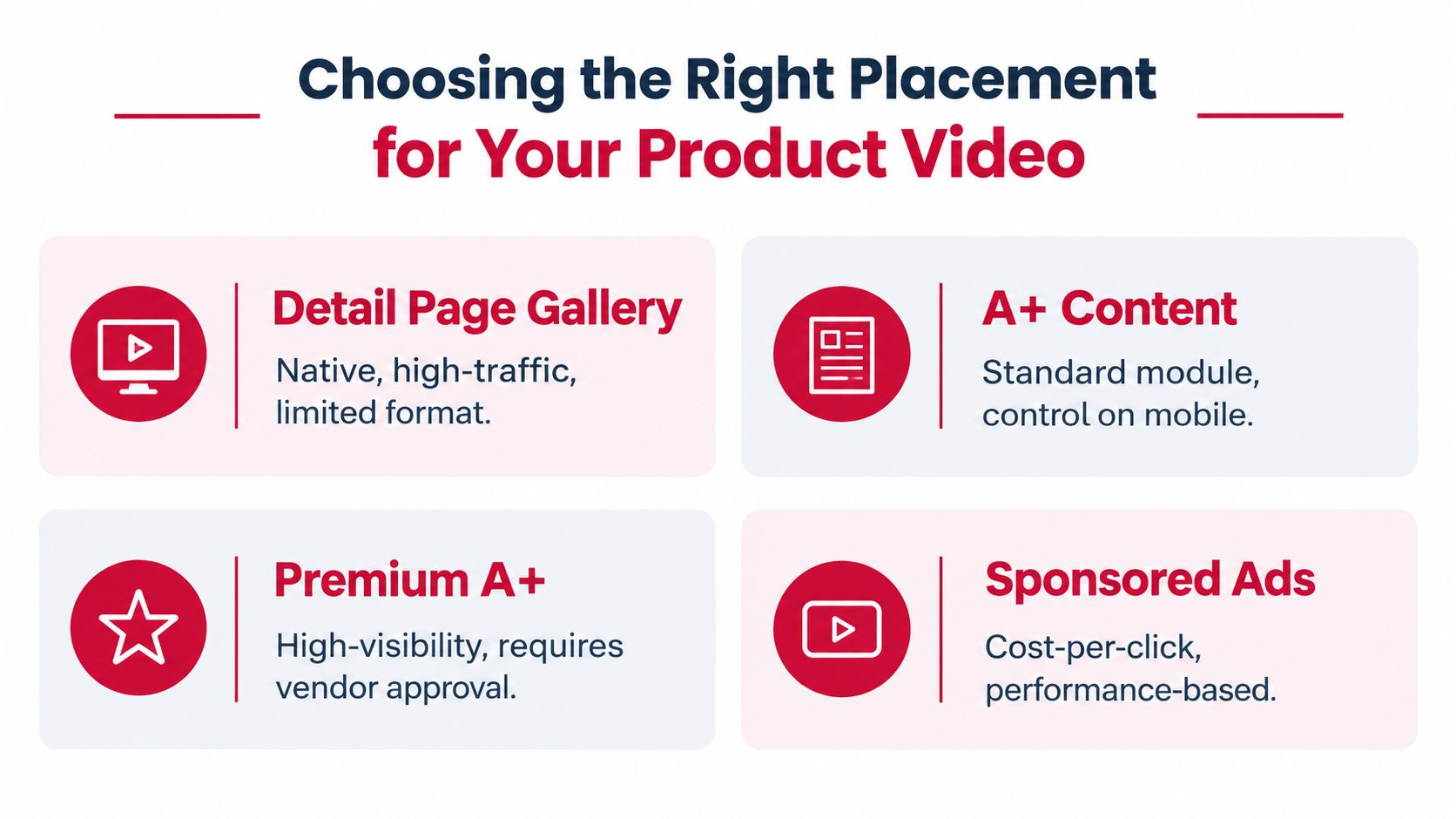
For most CPG brands, on-page conversion assets come before paid amplification. If a listing doesn't explain itself well, paying to send more traffic there just scales inefficiency.
The detail page gallery is usually the best first home for a product video for Amazon because the shopper is already evaluating the SKU. A+ video can also support that retail story, especially when the product needs richer explanation or comparison context.
Here's the simple operating logic:
If the listing itself still needs work, fix that first with stronger sequencing, better claims hierarchy, and tighter merchandising on the page using principles similar to this Amazon product listing optimization guide.
Paid video belongs further down the sequence. Amazon reports that Sponsored Products campaigns with video delivered 67% higher click-through rate and 9% higher conversion rate versus campaigns without video in its Sponsored Products video guide.
That's strong data, but it needs context. Those gains compare video campaigns to non-video campaigns. They don't mean any video will work, and they don't remove the need for listing fundamentals.
The paid question is usually this: does the category have enough search demand and enough margin room to justify using video to capture incremental clicks?
Decision filter: If the listing converts poorly without ads, fix the page before buying more expensive traffic to it.
The right placement also depends on what the product needs to prove.
For softlines and visually demonstrable products, motion often carries more of the selling load. In apparel, fit, drape, and movement matter. In that case, tools like an AI clothing video generator can be useful during concepting or low-cost versioning, especially when the team needs to show style context without building a full studio workflow.
For consumables, cleaning products, storage, kitchen tools, and beauty accessories, the most valuable placement is often the one closest to purchase intent. That usually means the product page first, then ads once the page converts cleanly.
A simple decision matrix helps:
| Placement | Best use case | Main trade-off |
|---|---|---|
| Detail page gallery | Fast objection handling at point of purchase | Limited room for deeper education |
| A+ Content | Added context and visual merchandising | Less direct performance comparison than ads |
| Premium A+ | Richer brand and product presentation | Tighter specs and more production overhead |
| Sponsored video | Incremental demand capture | Direct media cost and creative fatigue risk |
The common mistake is building one expensive hero asset and forcing it into every placement. Better operators build one core proof concept, then cut variants by intent.
The upside of video is real. The hidden costs are real too.
The first issue is simple visibility. Amazon's Seller Central guidance says shoppable videos require a Professional selling account, at least three months of selling history, live product listings, and compliant MOV or MP4 files up to 1080p and 5GB. The same guidance also notes that some softlines videos are suppressed on desktop when a listing already has six or more images, according to Amazon's shoppable video eligibility and suppression guidance.
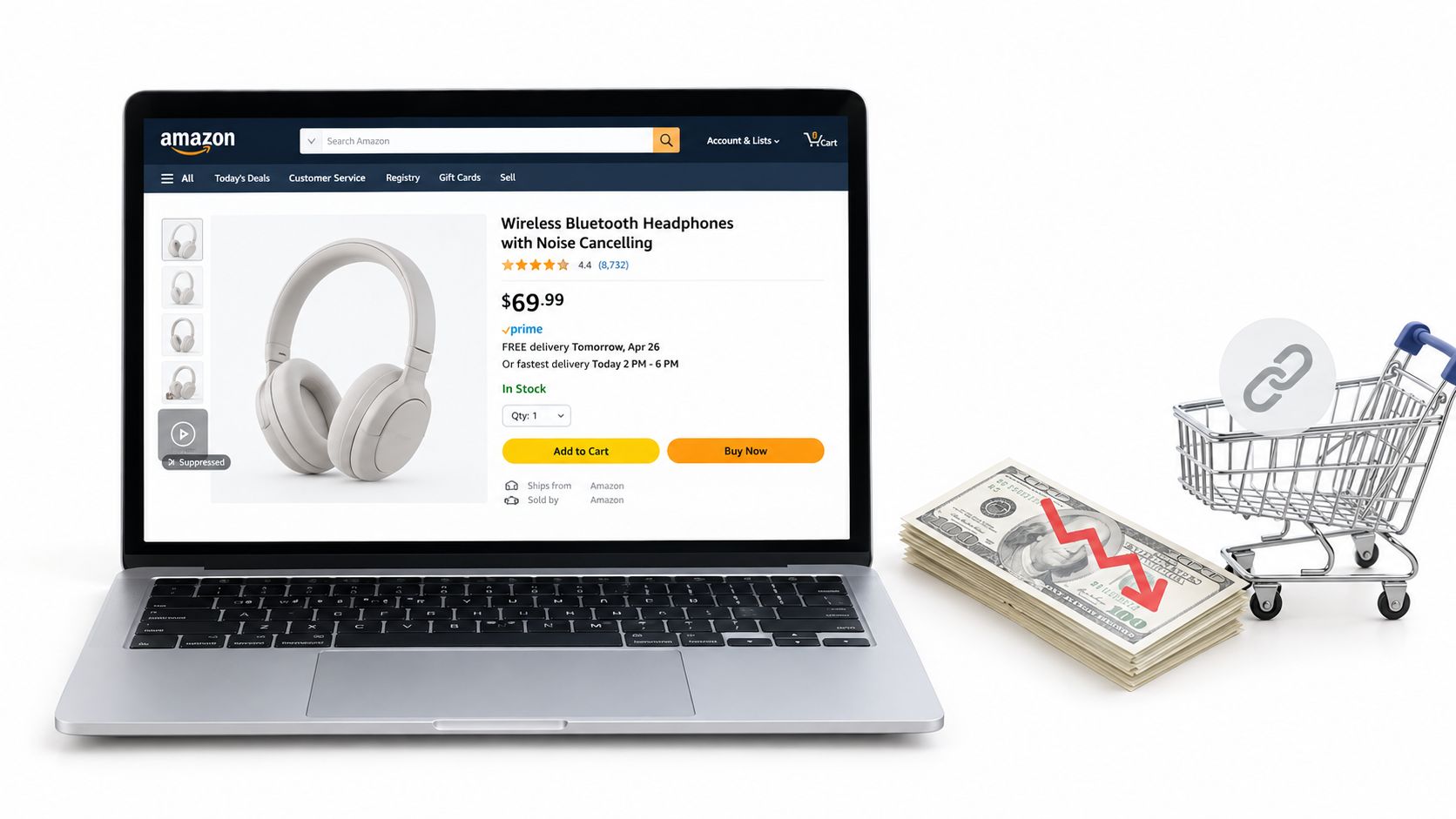
That means a perfectly good video can disappear for reasons that have nothing to do with creative quality. If the asset won't reliably surface, the economics change fast.
Independent recent reporting suggests Amazon listing videos are commonly associated with a 3% to 10% conversion lift after publication, as summarized in Amazon-adjacent coverage referenced in Amazon Ads help for Sponsored Products video requirements. That same guidance also notes that Sponsored Products video requires at least 7 seconds, ideally includes a human interaction, and should show the product occupying 50% or more of the frame.
For some brands, that level of lift is enough. For others, it isn't.
If you're carrying thin contribution margin because of freight, promo pressure, or high FBA fees, even a useful conversion gain can get eaten by:
Teams overbuild. They spend like they're producing a launch film for retail buyers, then deploy it on an Amazon detail page where a simple proof demo would have worked better.
The risk isn't only wasted creative budget. It's slower testing cadence. When every revision requires a formal production cycle, the team tests less, learns less, and keeps weak assets live longer.
A cheap, clear demonstration often outperforms a polished video that hides the product behind branding.
Every placement introduces maintenance. Different file specs, different durations, different thumbnails, and different moderation outcomes all create work. If you run a broad catalog, that compounds fast.
That's why I usually wouldn't recommend rolling video across the entire catalog at once. Start where one of these conditions is true:
If those conditions aren't in place, video can become another operating expense that looks strategic but doesn't improve the P&L.
A video that lifts conversion but accelerates stockouts, increases return rate, or forces expensive re-edits can still hurt contribution margin. The asset is only working if it improves sell-through at economics the SKU can support.
Amazon gives sellers useful video reporting at the catalog level, including views, average watch time, view duration percentage, product clicks, and conversion-related signals. As noted earlier, those metrics are worth checking against unit economics, not in isolation.
Start with the variable most likely to remove a buying objection. One change is enough.
For a supplement, that might be the first five seconds showing form factor, size, and how it fits into a daily routine. For a cleaning product, it is usually proof. Show the mess, show the use, show the result. For a kitchen tool, the thumbnail often matters more than teams expect because the click into the video depends on whether the shopper immediately understands the use case.
Good first tests include:
I usually test in three stages. First, get one version live that is compliant and clear. Second, improve one retail outcome, usually click-through to the PDP media asset or conversion on a high-traffic ASIN. Third, roll the winning structure to adjacent SKUs only if the shopper job is close enough that the footage still makes sense.
Weak creative stays live too long because teams try to recover sunk cost. Amazon does not pay you back for effort. The SKU either converts better at acceptable margin, or the asset needs to change.
Use a simple decision rule:
| Outcome | Action |
|---|---|
| Strong engagement and stronger conversion | Expand to similar ASINs and test additional placements |
| Good engagement but weak sales impact | Recut the proof, opening, or merchandising message |
| Weak engagement and weak sales impact | Retire the asset and test a different concept |
One caution here. Higher engagement is not the goal by itself. If a video increases time watched but does not improve ordered revenue per session, the asset is entertaining shoppers without helping the P&L. I have seen this happen with polished lifestyle edits that look expensive and explain very little.
Before you roll a winner across the catalog, check four operating constraints:
That last point matters. A proof sequence that works for one scent, flavor, or pack size can often transfer. A proof sequence for a premium bundle usually does not transfer cleanly to an entry SKU with a different price objection.
The practical move is to version what already works. Reuse the proof block, the opening hook, or the comparison shot. Do not fund a full rebuild unless the product, claim, or shopper objection materially changes.
If you want help deciding where video improves margin, inventory velocity, and Amazon conversion, Reddog Consulting Group offers a free 30-minute working session built around marketplace performance and growth planning. We'll look at where video fits in your listing stack, where it doesn't, and what to prioritize first if you want cleaner economics instead of more creative expense.
Leave a comment: