
Published: March 2020 | Last Updated:August 2026
© Copyright 2026, Reddog Consulting Group.

FBA stands for Fulfillment by Amazon, a program where Amazon stores your inventory in its fulfillment centers and handles picking, packing, shipping, returns, and customer service on your behalf, making your products eligible for Prime.
TL;DR
After Amazon receives your inventory, products are typically available for sale within 1–3 days.
Fulfillment by Amazon transfers the physical work of order fulfillment to Amazon’s logistics network. You manufacture or source the product, ship it to an Amazon fulfillment center, and Amazon takes it from there. Every time a customer places an order, Amazon picks the unit off the shelf, packs it, ships it, and handles any follow-up customer service or returns.

The contrast with Fulfillment by Merchant (FBM) is straightforward. Under FBM, you store inventory yourself, pick and pack every order, arrange shipping, and manage returns and customer contacts. Under FBA, Amazon owns all of that operational work. The trade-off is cost versus control.
FBA services at a glance:
A practical example: a single-SKU CPG brand selling a supplement on Amazon ships a pallet to an Amazon fulfillment center in Texas. When a customer orders, Amazon ships from whichever center is closest to that buyer, often same-day or next-day. The brand’s team never touches the order. That operational lift is the core value of the Amazon FBA program.
Getting inventory live in FBA follows a defined sequence. Here is how it works from account setup to your first order shipping:
Seller responsibilities vs. Amazon responsibilities:
| Responsibility | Seller | Amazon |
|---|---|---|
| Prep and labeling | ✓ | |
| Accurate dimensions and barcodes | ✓ | |
| Shipping to fulfillment center | ✓ | |
| Receiving and processing | ✓ | |
| Pick, pack, and ship orders | ✓ | |
| Customer service and returns | ✓ |
Inventory is typically live and available for purchase within 1–3 days of Amazon receiving the shipment. The most common hold-ups are dimension errors on the shipment plan and missing or unreadable barcodes. Amazon’s AI Packaging Recommendations tool, added in 2025, analyzes weight, dimensions, and materials to help optimize packaging before you ship, which can reduce both prep costs and processing delays.
FBA delivers genuine operational advantages, but it is not the right fit for every SKU or business model.
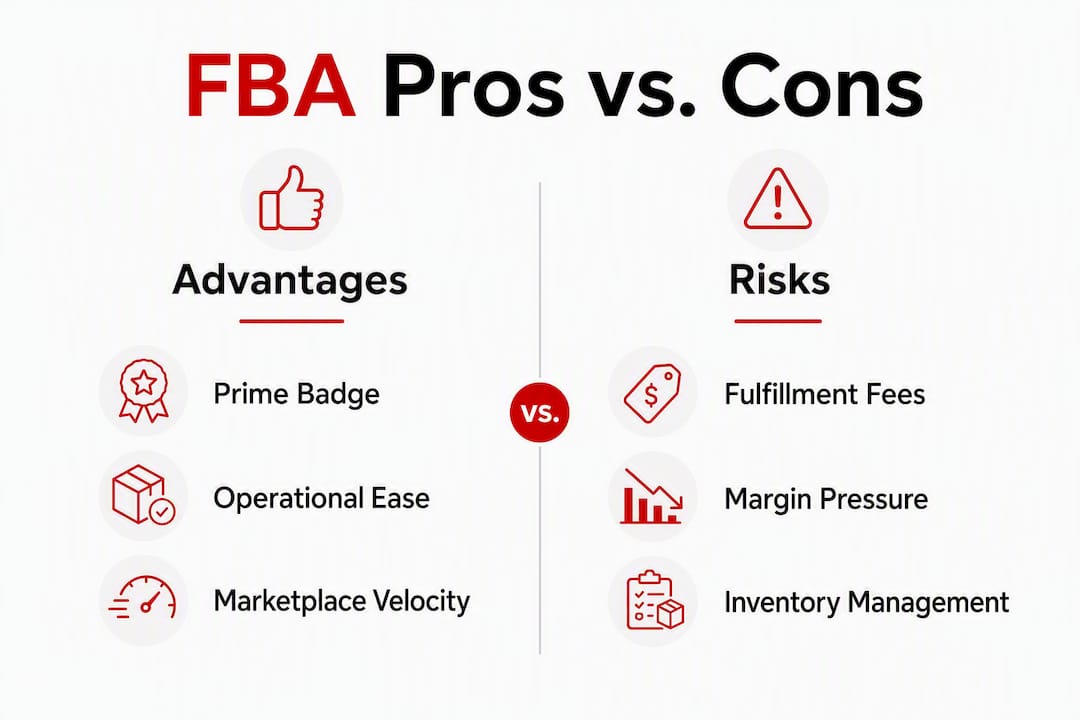
| Factor | FBA Advantage | FBA Risk |
|---|---|---|
| Prime eligibility | Immediate access to Prime badge and two-day shipping | Requires inventory at Amazon fulfillment centers |
| Buy Box competitiveness | FBA listings typically rank higher for Buy Box | FBM sellers can still win Buy Box with strong metrics |
| Operations | Amazon handles all pick/pack/ship and returns | Less control over packaging and unboxing experience |
| Fees | Predictable per-unit fulfillment cost | Layered fees (storage, aged inventory, referral) compress margin |
| Scalability | Scales without adding warehouse staff | Seasonal Q4 storage spikes can erode profitability |
Who benefits most: High-turnover SKUs, brands prioritizing marketplace velocity, and sellers who want to compete for Prime customers without building their own fulfillment infrastructure. FBA also tends to improve sales velocity because Prime eligibility directly affects conversion rates.
Who should be cautious: Low-margin products, bulky or heavy SKUs where fulfillment fees eat deeply into contribution margin, and sellers with highly seasonal inventory that could sit in a fulfillment center for months. For those profiles, FBM or a hybrid model often produces better unit economics.
FBA fees are dynamic, and understanding each layer is the only way to model your real margin. There are five main categories:
Simple per-unit fee stack example (standard-size product, non-peak month):
| Fee Type | Estimated Amount |
|---|---|
| Monthly storage (1 cu ft, Jan–Sep) | $0.78 |
| Total estimated FBA cost | $7.00 |
That $7.00 against a $20 sale price leaves $13.00 before your cost of goods. For a CPG brand with a 40% gross margin target, that math works. For a brand with a 25% margin, it does not. See Reddog’s Amazon fulfillment costs guide for a deeper breakdown by size tier.
Pro Tip: Keep days of inventory (DOI) between 30 and 60 days rather than 90-plus. Holding excess stock through Q4 can triple your effective storage cost per unit and trigger aged inventory surcharges if velocity slows.
Setting up FBA correctly from the start prevents the most common and costly mistakes. Follow this checklist:
Using Ships in Product Packaging (SIPP) where eligible removes the need for additional prep and can reduce per-unit costs. For ongoing inventory management, Reddog’s FBA inventory management guide covers restock thresholds and monitoring in detail.
FBA is not the only path. The right fulfillment model depends on your SKU economics, control requirements, and sales pattern.
| Option | Best For | Key Trade-off |
|---|---|---|
| FBM (Fulfillment by Merchant) | Low-velocity, high-margin, or oversized SKUs | Full operational control; no Prime badge by default |
| Third-party logistics (3PL) | Brands needing custom packaging or multi-channel fulfillment | More flexibility; no automatic Prime eligibility |
| Amazon Warehousing and Distribution (AWD) | High-volume sellers needing upstream bulk storage | Lower storage costs with automated replenishment to FBA |
| Hybrid FBA/FBM | Seasonal SKUs or mixed-velocity catalogs | Complexity increases; requires active management |
Decision questions to ask before committing to FBA:
For a broader channel assessment, Reddog’s analysis on selling on Amazon for omnichannel brands walks through the full decision framework.
The brands that struggle most with FBA are not the ones who misunderstand the program. They are the ones who underestimate how quickly storage and aged inventory fees compound. A product sitting in a fulfillment center for seven months does not just cost storage fees. It ties up cash, triggers aged inventory surcharges starting around 181 days, and crowds out faster-moving SKUs in your working capital.
The most effective lever is active DOI management. Keeping days of inventory in the 30–60 day range, rather than shipping 90-plus days of stock at once, materially reduces both storage costs and the risk of crossing aged inventory thresholds. Pair that with accurate dimensions on your first shipment (dimension errors are the single most common cause of processing delays) and SIPP enrollment where your packaging qualifies.
Pro Tip: Run your Inventory Age report in Seller Central every two weeks. Catching slow-moving units at 120 days gives you time to run a promotion or request removal before the 181-day surcharge clock becomes expensive.
Amazon’s AI Packaging Recommendations tool is worth using before your first shipment. It analyzes your product’s weight and dimensions and suggests packaging changes that can reduce your size tier classification, which directly lowers fulfillment fees. For a deeper look at the fee levers, Reddog’s FBA fees and margin guide covers the full cost structure.
FBA is a powerful fulfillment program, but margin protection requires active management of inventory turnover, storage timing, and fee structure from day one.
| Point | Details |
|---|---|
| FBA definition | FBA = Fulfillment by Amazon; Amazon stores, picks, packs, ships, and handles returns and customer service. |
| Processing timeline | Inventory is typically available for sale within 1–3 days after Amazon receives your shipment. |
| Biggest cost drivers | Storage fees are $0.78 per cubic foot from January through September and $2.40 per cubic foot from October through December; aged inventory surcharges begin at approximately 181 days. |
| Turnover is the key lever | Keeping days of inventory at 30–60 days reduces storage costs and avoids aged inventory penalties. |
| Reddog’s approach | Reddog helps CPG brands model FBA contribution margin and identify where fee structure is compressing profit. |
FBA is genuinely one of the most powerful distribution tools available to a CPG brand. The Prime badge, the logistics scale, the offloaded customer service — these are real advantages that would cost far more to replicate independently. But the program is designed to reward sellers who move inventory fast and penalize those who do not.
Most guides explain what FBA is. Fewer explain that the fee structure is essentially a tax on slow inventory. A brand with a 45% gross margin and 45-day turns will thrive on FBA. The same brand with 90-day turns and a Q4 overstock problem will watch that margin erode to single digits before they understand why.
At Reddog, we work with CPG founders who are often surprised to find that their Amazon channel looks profitable on the revenue line and negative on contribution margin once storage, aged inventory, and referral fees are properly allocated. The fix is almost never “leave FBA.” It is usually better inventory planning, tighter DOI targets, and accurate product setup from the first shipment.
If you are a CPG founder or operator running $500K to $20M in revenue and you are not certain whether your FBA fee structure is protecting or compressing your contribution margin, a focused conversation is worth your time.
Reddog offers a free 30-minute strategy review for qualified brands. The session is a practical diagnostic: we look at your channel economics, inventory velocity, and fee structure to identify where margin is leaking and what to do about it. No generic advice, no sales pitch. Just a clear read on your numbers and a prioritized set of next steps.
Book your free strategy review and bring your current fee structure, your top three SKUs, and your average days of inventory. We will show you exactly where the leverage is.
Official Amazon resources:
Reddog Group guides:
Partner resource:
Leave a comment: