
Published: March 2020 | Last Updated:June 2026
© Copyright 2026, Reddog Consulting Group.

TL;DR:
- Amazon FBA allows sellers to store, ship, and handle customer service for their products through Amazon. To start, sellers must create a verified account, choose a selling plan, and prepare their inventory according to specific requirements. Proper setup, accurate measurements, and business structuring are essential for successful growth and profitability.
Amazon FBA, formally known as Fulfillment by Amazon, is a program where Amazon stores your products, picks and packs orders, and handles customer service on your behalf. To become an Amazon FBA seller, you register a seller account, list products with FBA selected as the fulfillment method, prep and ship inventory to an Amazon fulfillment center, and then manage your business from Seller Central. The FBA program processes inbound inventory in 0–3 days after receiving it at the fulfillment center. That speed means your products can be live and Prime-eligible faster than most sellers expect.
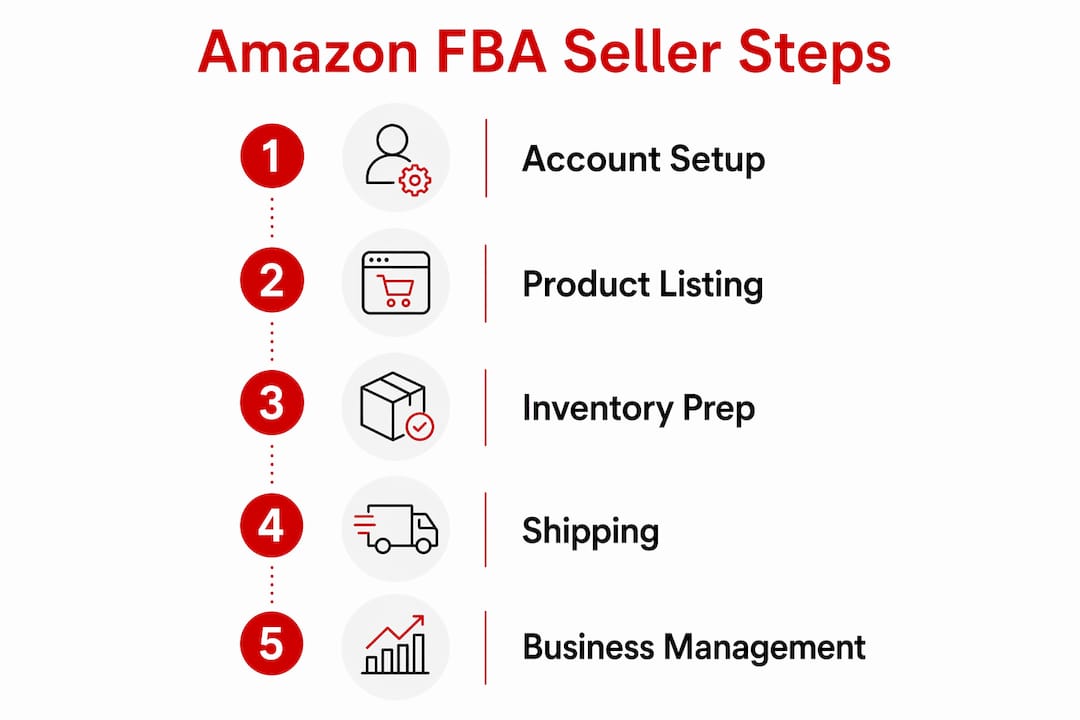
Every Amazon FBA seller starts with the same foundation: a verified seller account and the right selling plan. Getting these two things right before you list a single product saves you significant time and money later.
Account registration requires a valid government-issued ID, a bank account, a credit card, tax information (either an EIN or SSN), a reachable phone number, and a business address. Amazon typically approves accounts within roughly 3 days of submission. Having all documents ready before you start the registration process cuts that timeline down to its minimum.
Amazon offers two selling plans, and the difference matters from day one.
The Professional plan is the right choice for any seller planning to grow. The $39.99 monthly fee pays for itself quickly once you factor in the advertising access and incentive credits.
Pro Tip: New Professional plan sellers receive a $100 credit for Partner Carrier shipments and free storage and liquidation for up to 50 units during the first 3 months. Use that credit on your first inbound shipment.
| Requirement | Details |
|---|---|
| Government-issued ID | Passport or driver’s license for identity verification |
| Bank account | Used for disbursements from Amazon |
| Tax information | EIN for businesses or SSN for sole proprietors |
| Selling plan | Professional plan at $39.99/month recommended for growth |
| Business address | Required for account registration and compliance |
Registration happens at sell.amazon.com. The process is straightforward, but skipping steps or entering mismatched information is the most common reason for delays.
The most common mistake at this stage is using a personal email tied to an existing Amazon buyer account. Create a separate business email to keep your seller and buyer accounts clean.
Pro Tip: Before listing products, spend 30 minutes inside Seller Central reviewing the “Getting Started” checklist under the main dashboard. It flags missing account details that would otherwise block your first shipment.

A product listing is how Amazon’s search algorithm finds your product and how buyers decide to purchase it. Getting the listing right before you ship inventory is critical because you cannot change the fulfillment method after inventory is received.
Not every product qualifies for FBA. Sellers remain responsible for complying with national, state, and local laws, as well as Amazon policies on restricted and hazardous products. Check the FBA prohibited products list in Seller Central before ordering inventory. Categories like aerosols, lithium batteries, and products with expiration dates have specific prep and storage requirements.
When you add a product, select “Fulfilled by Amazon” under the fulfillment method. This enrolls that specific ASIN in FBA and triggers the prep and shipping workflow.
Pro Tip: Before committing to a product, check its Best Seller Rank (BSR) in the category. A BSR under 100,000 in most categories indicates consistent sales volume. A BSR over 500,000 often signals weak demand.
Shipping inventory to Amazon is where most new sellers make costly mistakes. Dimension errors, missing labels, and improper packaging lead to rejected shipments and extra fees.
Ships in Product Packaging (SIPP) is worth exploring if your product is already retail-ready. SIPP allows eligible products to ship without extra prep or packaging, which lowers fulfillment costs and qualifies you for FBA discounts.
| Shipping step | Common mistake | Fix |
|---|---|---|
| Entering dimensions | Rounding up or guessing weight | Use a postal scale for every SKU |
| Applying labels | Covering barcodes with labels | Place labels on flat, unprinted surfaces |
| Choosing carrier | Ignoring Partner Carrier discounts | Use Partner Carrier for the $100 credit |
| Packaging units | Skipping poly bags for soft goods | Check category prep requirements in Seller Central |
Pro Tip: Save your first shipment as a reusable template in Seller Central. Every future shipment for that SKU takes minutes instead of starting from scratch.
Launching is the beginning, not the finish line. Ongoing management determines whether your FBA business grows or stalls.
Monitor your inventory levels weekly using the Inventory Dashboard in Seller Central. Amazon charges monthly storage fees, and those fees increase significantly in october through december during peak season. Running out of stock kills your search ranking. Overstocking drives up storage costs. Finding the right restock cadence takes a few sales cycles to calibrate.
Amazon FBA fees include referral fees (a percentage of the sale price by category), fulfillment fees (based on size and weight), and storage fees (based on cubic feet per month). Understanding these three fee types is the foundation of FBA margin management.
The Professional plan gives you access to Amazon Sponsored Products, Sponsored Brands, and Sponsored Display ads. Start with Sponsored Products using automatic targeting to gather keyword data. After two weeks of data, switch to manual campaigns targeting the highest-converting search terms. The advertising with Amazon framework follows a test-then-scale approach that keeps early ad spend controlled.
Forming an LLC protects personal assets, simplifies US tax compliance, and makes it easier to open business banking accounts as you scale. It is not required to start, but sellers who plan to grow past their first product should set one up early. For sellers moving into high-value product categories, Amazon’s enhanced inbound service automates reimbursement claims when inventory discrepancies occur, reducing the manual work of chasing lost units.
Pro Tip: Set a calendar reminder to review your IPI (Inventory Performance Index) score every 30 days. A score below 400 can restrict your storage limits, which directly limits how much inventory you can send in.
Becoming a profitable Amazon FBA seller requires the right account setup, accurate inventory preparation, and consistent operational management from day one.
| Point | Details |
|---|---|
| Choose the Professional plan | The $39.99/month plan unlocks ads, analytics, and over $50,000 in New Seller Incentives. |
| Prepare documents before registering | Government ID, bank account, EIN or SSN, and business address are all required upfront. |
| Check product eligibility early | Restricted and hazardous products affect FBA storage eligibility and must be reviewed before ordering inventory. |
| Use SIPP and reusable templates | Ships in Product Packaging lowers prep costs; reusable shipment templates cut inbound processing time. |
| Form an LLC before scaling | An LLC protects personal assets and simplifies tax compliance as your business grows. |
The Professional plan is not optional if you are serious. Sellers who start on the Individual plan to “save money” almost always switch within 60 days, and they lose those first weeks of advertising data in the process. Start with the Professional plan and use the New Seller Incentives to offset the cost.
The reusable shipment template feature in Seller Central is one of the most underused tools on the platform. The first time you build a shipment for a SKU, it takes 20–30 minutes. With a saved template, the same shipment takes under five minutes. That time compounds fast when you are managing multiple SKUs.
Compliance catches more sellers off guard than fees do. A product that sells well in retail can be restricted or require special prep for FBA storage. Checking the FBA prohibited products list and the category-specific prep requirements before you order inventory is not optional. Finding out after the fact is expensive and disruptive.
Precise measurements matter more than most sellers realize. A box that is one inch larger than entered in Seller Central triggers a fee adjustment that eats into margin on every unit in that shipment. Weigh and measure every SKU with a calibrated scale and a tape measure before creating your first shipment.
Finally, the sellers who scale past their first product almost always have a formal business entity in place. An LLC is not just a legal formality. It is the structure that makes it possible to open a business bank account, work with a bookkeeper, and eventually bring on investors or partners without personal liability exposure.
— Reddog
Building an FBA business from scratch is manageable. Building one that is profitable at scale requires a clear view of contribution margin, fee structure, and inventory velocity across every SKU.
Reddog works with CPG founders and operators in the $500K–$20M revenue range who need structured growth planning and marketplace optimization across Amazon, Walmart, and DTC channels. The work covers listing structure, inbound workflows, advertising efficiency, and the channel economics that determine whether growth actually adds margin or just adds revenue. If you want a practical review of where your FBA business stands on contribution margin, inventory costs, or growth planning, book a free 30-minute strategy call with the Reddog team.
Amazon FBA (Fulfillment by Amazon) is a program where sellers send inventory to Amazon’s fulfillment centers and Amazon handles storage, packing, shipping, and customer service. Inbound inventory is processed and available for sale within 0–3 days of arrival.
The Professional selling plan costs $39.99 per month, plus referral fees, fulfillment fees, and storage fees that vary by product size and category. New sellers on the Professional plan can offset early costs with over $50,000 in New Seller Incentives.
An LLC is not required to register as an Amazon seller, but it is strongly recommended for sellers planning to scale. It protects personal assets, simplifies tax compliance, and makes business banking easier.
Amazon seller account approval typically takes around 3 days after you submit your registration and identity verification documents.
Products classified as hazardous materials, certain aerosols, items with short expiration dates, and other restricted categories may be ineligible for FBA storage. Sellers must review the FBA prohibited products list in Seller Central before ordering inventory.
Leave a comment: